Visual guide
How the how to calculate speech time tool presents input and output.
The quickest way to calculate speech time is to divide the number of words by your speaking speed in words per minute. A 750-word speech delivered at 130 words per minute takes about 5 minutes and 46 seconds before extra pauses. Our free speech time calculator does the arithmetic while you edit.
The arithmetic is the easy bit. Choosing an honest speaking rate is where estimates go wrong. A keynote speaker pauses because the room needs time to react. A teacher stops at a slide. Podcast hosts leave space for music. A tightly edited voice-over can move faster, but push it too far and it starts sounding like the legal disclaimer at the end of an advert.
The useful number is not the fastest possible reading. It is the time your actual delivery will take, including the moments when you breathe, look up, or let a sentence land.
The basic words-to-minutes formula is:
Speech time in minutes = total words ÷ words per minute
For example, imagine your script contains 1,000 words:
If you need the answer in seconds, multiply the result by 60. For a 1,000-word script at 130 WPM:
1,000 ÷ 130 × 60 = 461.5 seconds
That is approximately 7 minutes 42 seconds.
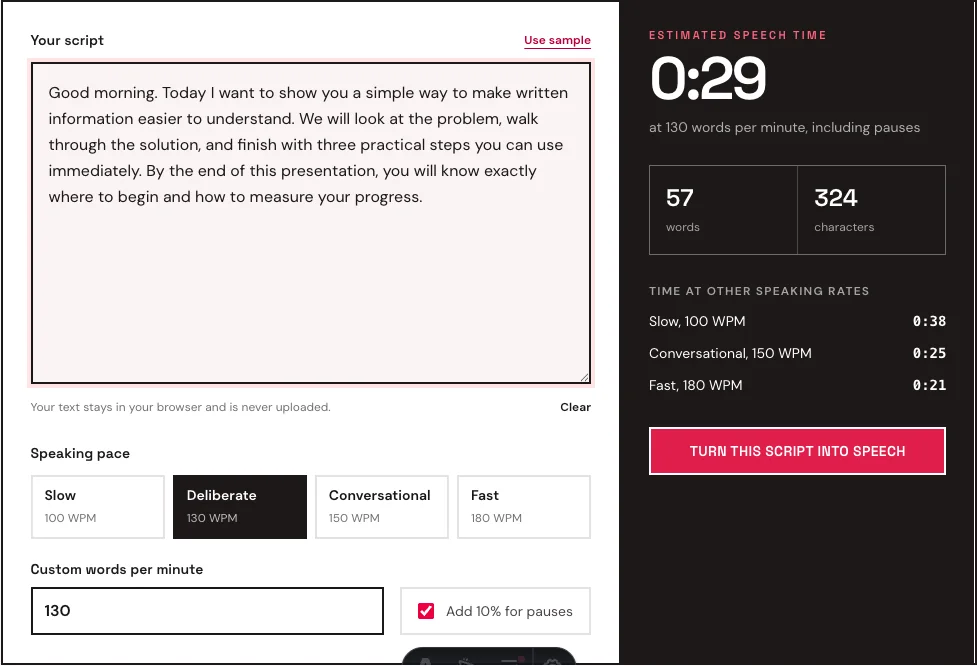
You do not need to calculate it manually every time. Paste the complete script into the words-to-minutes calculator, choose a speaking pace, and the result updates as you edit.
There is no single perfect speaking speed. The right rate depends on the audience, subject, and medium.
| Delivery style | Typical rate | Best used for |
|---|---|---|
| Slow and careful | 90 to 110 WPM | Complex instructions, accessibility, solemn speeches |
| Deliberate public speaking | 120 to 140 WPM | Presentations, lectures, conference talks |
| Conversational | 140 to 160 WPM | Podcasts, explainers, ordinary narration |
| Fast and energetic | 170 to 190 WPM | Short videos, promotional reads, rapid summaries |
Everyday conversation often reaches 150 WPM or more because people use familiar language and interrupt each other. A formal speech usually benefits from a slower rate. Listeners need time to process names, numbers, unfamiliar ideas, and changes in topic.
If you have never measured your own rate, start with 130 WPM for a live presentation and 150 WPM for recorded narration. Then read a representative paragraph out loud with a timer. Your actual result is more useful than a generic average.
The most accurate method combines calculation with one rehearsal:
Suppose you read a 260-word sample in two minutes. Your measured rate is 130 WPM. If the full script contains 1,100 words, the continuous speaking time is about 8 minutes 28 seconds. Add roughly 10 percent for natural pauses and the practical estimate becomes about 9 minutes 19 seconds.
This is why rehearsed timing is usually longer than a raw word-count estimate.
A five-minute speech usually contains 600 to 750 words.
At a clear public-speaking rate of 130 WPM, five minutes holds about 650 words. At 150 WPM, it holds about 750 words. However, writing exactly 750 words for a five-minute slot leaves no time for emphasis, laughter, a slow introduction, or a strong closing pause.
For a live five-minute talk, aim for 600 to 650 words. That gives you enough room to breathe and helps prevent the rushed final minute that weakens otherwise good presentations.
If the talk includes a demonstration or audience question, reduce the script further. A one-minute demonstration leaves only four minutes of spoken delivery, or approximately 480 to 600 words depending on pace.
A ten-minute presentation normally contains 1,200 to 1,500 words.
For slide-based presentations, 1,200 to 1,300 words is a safer target. The speaker needs time to introduce visual information, point to details, change slides, and let important ideas land. A ten-minute continuous narration can be closer to 1,500 words, but the same amount may feel hurried in front of a live audience.
A practical ten-minute structure might look like this:
Time each section separately. A presentation can meet the overall word target and still feel unbalanced if the introduction consumes half of the available time.
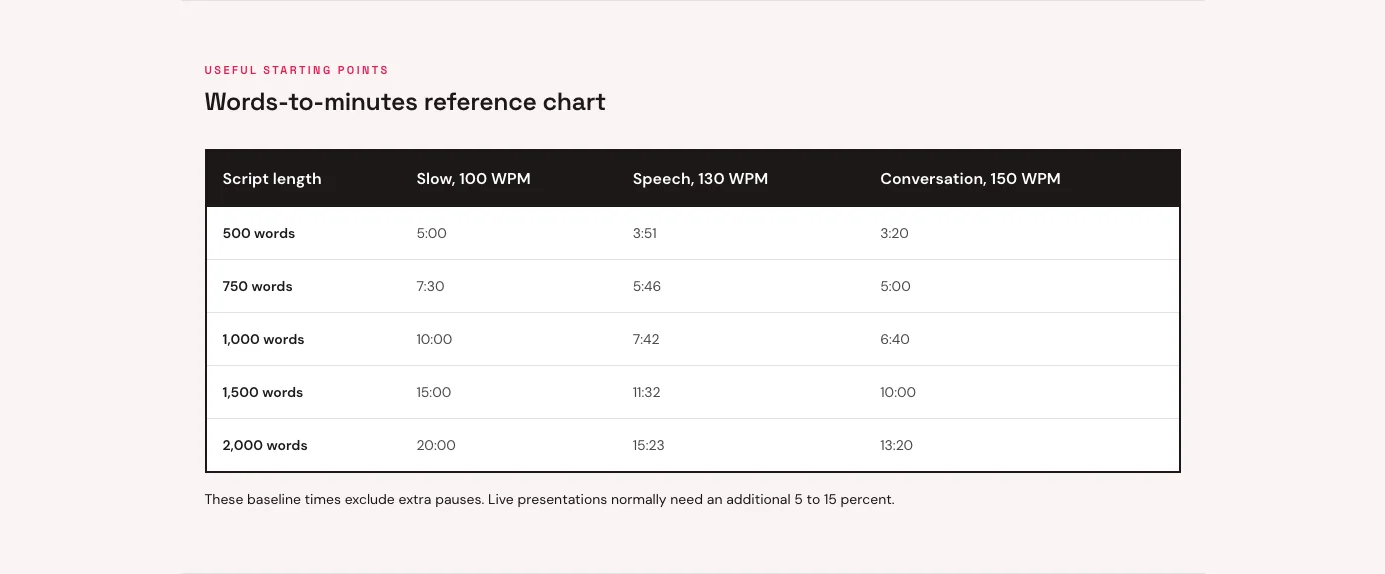
The following estimates exclude additional pauses:
| Word count | 100 WPM | 130 WPM | 150 WPM | 180 WPM |
|---|---|---|---|---|
| 300 words | 3:00 | 2:18 | 2:00 | 1:40 |
| 500 words | 5:00 | 3:51 | 3:20 | 2:47 |
| 750 words | 7:30 | 5:46 | 5:00 | 4:10 |
| 1,000 words | 10:00 | 7:42 | 6:40 | 5:33 |
| 1,500 words | 15:00 | 11:32 | 10:00 | 8:20 |
| 2,000 words | 20:00 | 15:23 | 13:20 | 11:07 |
These numbers are planning estimates, not deadlines. Dense technical material should be delivered more slowly than a familiar story. Names, URLs, quotations, and lists of numbers also reduce effective speaking speed.
For an ordinary live speech, adding 5 to 15 percent is reasonable. Our speech duration calculator uses a 10 percent allowance when the pause option is enabled.
Use the lower end when the delivery is continuous and rehearsed. Use the higher end when the presentation includes:
Do not add the allowance twice. If you measured your WPM by rehearsing a sample with natural pauses, that measured rate already includes your normal breathing and punctuation. Add only the extra time required for planned interactions or production elements.
A voice-over duration calculator uses the same words-per-minute formula, but recorded narration has different constraints from live speaking.
An explainer video voice-over often falls between 140 and 170 WPM. Short promotional videos may be faster, while onboarding tutorials and accessibility narration should be slower. The complexity of the visuals matters too. If the viewer must read a chart while listening, the narration needs space.
Use this workflow for a video script:
For example, a three-minute video with 20 seconds of nonverbal footage leaves 160 seconds for narration. At 150 WPM, that allows approximately 400 words.
Short vertical videos follow the same math with much smaller numbers. A 30-second clip at 170 WPM holds about 85 words, and the hook has to land in the first sentence. The TikTok voice generator and the page on Instagram Reels text to speech are both set up for scripts of that length.
Once the script fits, you can generate it with free text to speech and compare the actual audio duration with the estimate. Different voices and speed settings will produce slightly different results.
Podcast timing depends on whether the show is fully scripted, loosely outlined, or conversational.
A solo scripted segment can be estimated at 140 to 160 WPM. A two-person conversation is less predictable because interruptions, reactions, and improvised explanations add time. Music, advertisements, and transitions should be timed separately rather than converted from words.
For a 15-minute scripted podcast episode, do not automatically write 2,250 words. First reserve time for the introduction, music, and closing. If those elements use two minutes, a 13-minute narration at 150 WPM needs about 1,950 words.
Our guide to text to speech for podcasters covers voice choice and audio production after the timing plan is ready.
Silent reading is much faster than speaking. A reading-time estimate designed for blog posts may assume 200 to 250 WPM. Using that number for a presentation will dramatically underestimate the duration.
“2026” counts as one word, but saying “two thousand and twenty-six” takes several spoken beats. Acronyms, product names, citations, and URLs create the same problem.
A 750-word script may fit five minutes at 150 WPM, but it leaves no safety margin. If the time limit is strict, write for 90 to 95 percent of the slot.
When a script is too long, remove repetition before increasing the pace. A shorter, clearer speech is easier to follow than a dense script delivered at 190 WPM.
Delivery changes as you become familiar with the material. Rehearse at least twice, and time the final version after every major edit.
Before recording or walking onto the stage, confirm the following:
The buffer is the part people skip. If a presentation must finish in ten minutes, aim for roughly nine minutes and thirty seconds in rehearsal. Thirty spare seconds feels excessive at your desk. On stage, after a slow introduction or one awkward slide change, it feels very sensible.
Paste your draft into the free speech time calculator, choose a speaking rate, and compare the estimate with your rehearsal. If those numbers disagree, trust the rehearsal and adjust the WPM setting. That is your real pace.
When the timing is right, paste it into the text to MP3 converter to turn the finished script into downloadable narration.
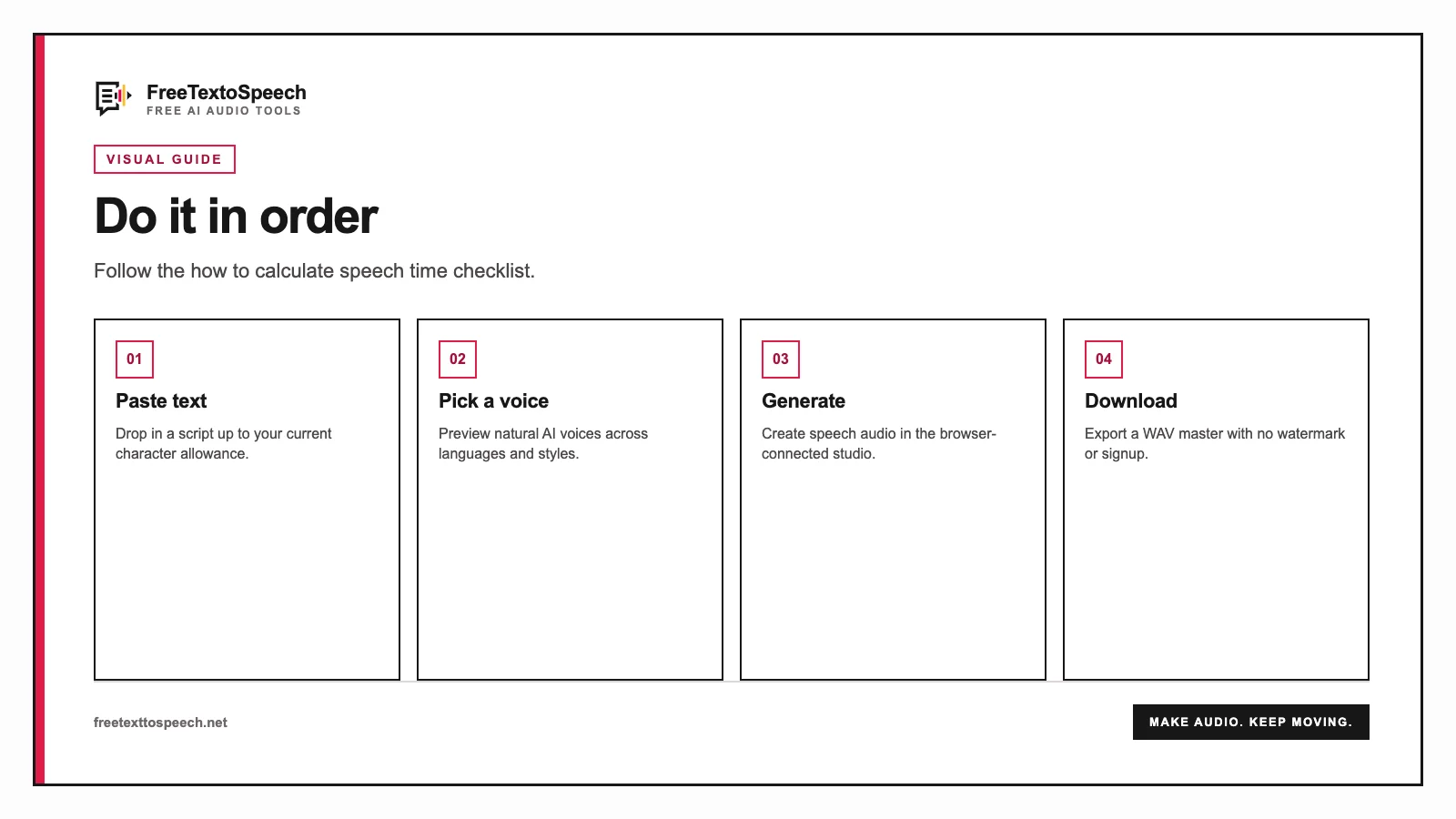
Visual guide
How the how to calculate speech time tool presents input and output.
In context
A step-by-step visual guide for how to calculate speech time.
A tiny favor
Allow ads for this site, then check again. Prefer no ads? Paid plans remove ads and add more cloud characters, from $4 a month.
Allow ads for freetexttospeech.net, then check again.
Already on a paid plan?Sign into restore your perks.
Send feedback
Tell us what you think
Bugs, ideas, or anything that would make FreeTextoSpeech better.