Audio8 TTS
Run the Audio8-TTS-Preview-0.6b model right here in your browser. Type text, press generate, and the 0.6B DualAR model speaks it locally in 44.1 kHz audio. No signup, no server, no upload.
Your text
0 / 500About 572 MiB. Your browser caches the model files for faster repeat use.
Your audio
Speech model
Open-source 0.6B DualAR model with 44.1 kHz output. Generation happens locally; your text never leaves this page.
Audio8 follows the written text; it has no hidden language-ID input. This selection sets writing guidance and accessibility metadata.
Lower values sound steadier, higher ones add variation. 0.7 matches the official default.
0
Frames
0.0s
Audio
—
Speed
Desktop needed for this oneThe Audio8 preview needs PC or Mac hardware. For phone and tablet use, the main cloud text-to-speech tool runs the Kokoro voices on any device.
Audio8 TTS is an open-source 0.6B speech model with 11 recommended languages and 44.1 kHz output. This page caches about 572 MiB of model files, tries native WebGPU before a threaded CPU fallback, and keeps your text and the generated audio on your device.
The model
What is Audio8 TTS?
Audio8 TTS Preview 0.6B is a compact text-to-speech model published by the Audio8 team on Hugging Face. It uses a DualAR design borrowed from Fish Audio S2 Pro: a slow autoregressive transformer plans one semantic token per audio frame, and a smaller fast transformer fills in the ten codebooks a neural codec needs to turn those tokens back into sound.
The result speaks with prosody that holds up across languages, and it outputs 44.1 kHz audio instead of the 24 kHz most compact models produce.
This release is a preview. The team recommends sticking to eleven core languages and says broader coverage and Chinese dialect support are coming. Everything ships under Apache 2.0, so anyone can inspect, fine-tune, or deploy it.
Model facts
- Model
- Audio8-TTS-Preview-0.6b (open weights)
- Parameters
- 601 million, excluding the audio codec
- Architecture
- DualAR transformer: a 24-layer slow model and a 4-layer fast model
- Audio codec
- Neural codec, 10 codebooks, 44.1 kHz mono output
- Frame rate
- About 21.5 frames per second, 2,048 samples per frame
- Context window
- Up to 2,048 packed text and audio positions
- Languages
- 11: English, Spanish, French, German, Italian, Dutch, Polish, Japanese, Korean, Chinese, Cantonese
- License
- Apache 2.0 for code and weights
- Browser download
- About 572 MiB, cached after the first run
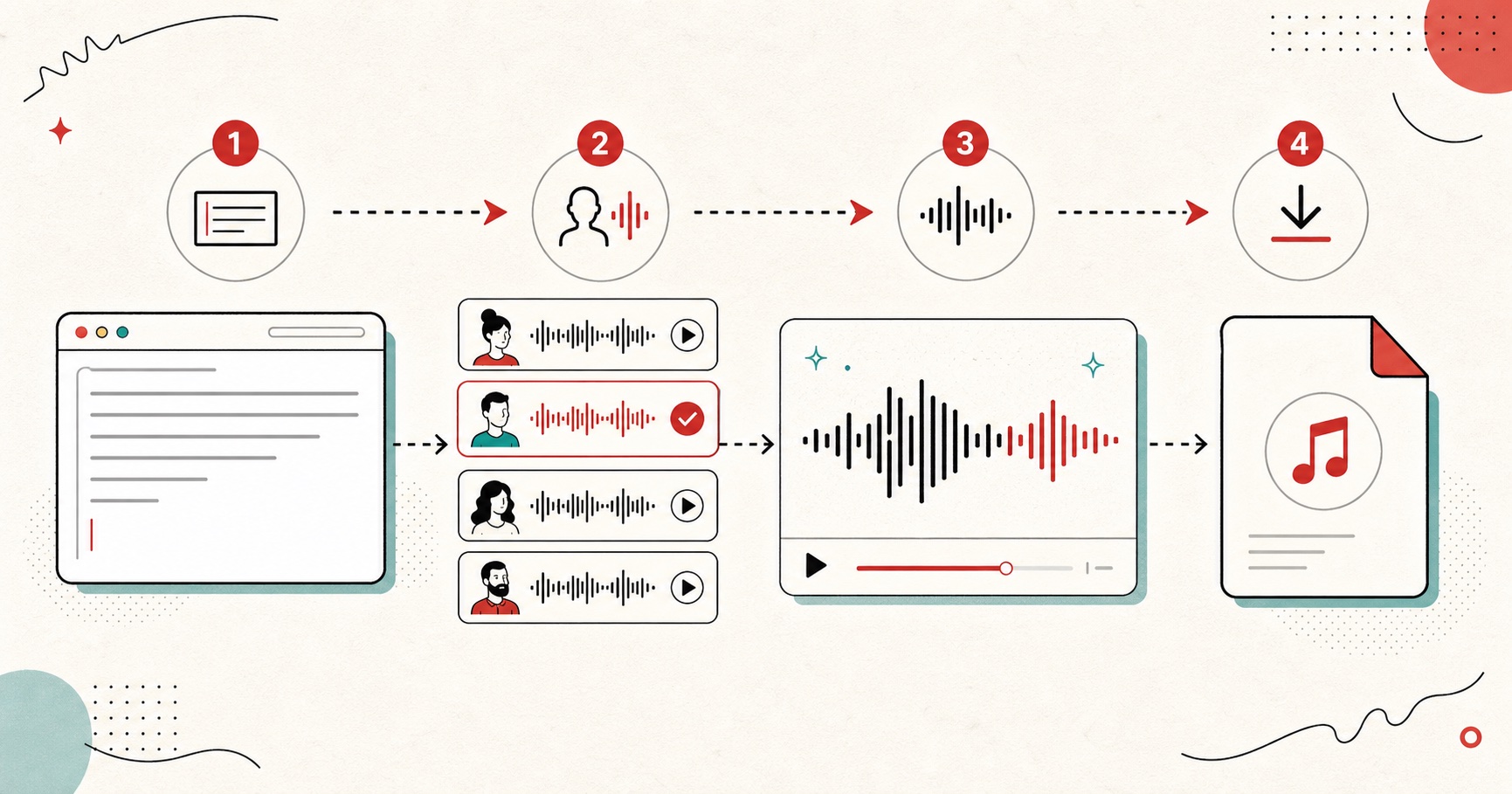
How to use Audio8 TTS in your browser
- 01
Open this page on a desktop
The tool loads straight in the browser. No account, no install, no API key. Phones and tablets need to skip this one, the model wants PC or Mac hardware.
- 02
Let the weights download once
The first Generate click pulls about 572 MiB of INT4 model files from the Hugging Face CDN. Your browser caches them, so later visits skip the network download.
- 03
Choose a language and voice
Select one of the 11 recommended languages. Audio8 follows the writing itself rather than a language ID, so paste text in the language you want to hear.
- 04
Listen and download
Wait for the smooth final result, or enable the optional live preview for provisional chunks. Save a lossless 44.1 kHz WAV or convert it to MP3 inside the browser.
Audio8 TTS vs Kokoro
We run Kokoro across the rest of this site, so here is the honest internal comparison: where each model wins, and why both earn a spot.
Where it runs
FreeTextoSpeech
Native WebGPU on compatible Chrome/Edge devices, with threaded CPU/WebAssembly fallback.
Kokoro (our main tool)
In-browser engine too, roughly 300 MB lighter to download.
Output quality
FreeTextoSpeech
44.1 kHz neural codec output with expressive prosody.
Kokoro (our main tool)
24 kHz output, very natural narration for its size.
Language coverage
FreeTextoSpeech
11 languages including Korean, German, Dutch, Polish, and Cantonese.
Kokoro (our main tool)
9 languages focused on English, European languages, Hindi, Japanese, Mandarin, and Portuguese.
Speed on a typical laptop
FreeTextoSpeech
Heavier: an AR model generating about 21.5 frames per second of audio.
Kokoro (our main tool)
Much faster, close to real time on most machines.
First-use download
FreeTextoSpeech
About 572 MiB, plus an optional 396 MiB voice encoder.
Kokoro (our main tool)
A few hundred MB at full precision.
Maturity
FreeTextoSpeech
Preview release with limited dialect coverage.
Kokoro (our main tool)
Stable v1.0 model we serve across the whole site.
Both models are Apache 2.0 open source. Numbers describe the current public releases: Audio8-TTS-Preview-0.6b and Kokoro-82M-v1.0.
Pick by job
Audio8 or Kokoro for the job in front of you
The table above compares the models. In practice the choice usually comes down to the text you have and the device you're on. Three limits of this page decide a lot of it: the text box takes 500 characters, the longest output setting gives about 24 seconds of audio, and the first run downloads about 572 MiB of model files.
| If you need | Open | Why |
|---|---|---|
| German, Korean, Dutch, Polish or Cantonese | Audio8 | All five are in the Audio8 preview's language list. None of them are among Kokoro's 9 languages. |
| A 44.1 kHz file for a video or music edit | Audio8 | Its codec outputs 44.1 kHz mono. Kokoro outputs 24 kHz. |
| More than a few sentences | Kokoro | Audio8 here works in pieces of up to 500 characters and about 24 seconds, and you join the WAVs yourself. The main generator makes long scripts in parts and hands you one file. |
| Speech on a phone or tablet | Kokoro | This page needs PC or Mac hardware for the Audio8 model. |
| Lots of takes, quickly | Kokoro | Kokoro runs close to real time on most machines. Audio8 makes eleven model calls for every audio frame. |
| Text that never leaves your computer | Either | Audio8 always runs in your browser. Kokoro has an on-device engine too, for its English voices. |
Getting good output from the Audio8 preview
Small habits separate a demo-grade clip from something you would publish. These six matter most with an autoregressive model.
- 01
Keep requests short while you learn the model
The upstream runtime recommends roughly 150 characters for best quality. Generate one sentence at a time, then stitch the WAVs for longer scripts.
- 02
Write punctuation the way you want it spoken
Commas buy a short beat, periods a longer one, ellipses a held pause. The DualAR model reads these as delivery cues, so a line that lands flat often just needs a comma.
- 03
Drop creativity if samples drift
The creativity slider sets sampling temperature. At 0.7 you get the official default balance. If a long word warbles or a syllable repeats, pull it toward 0.5 and generate again.
- 04
Match the language, spell out the edge cases
Acronyms read better with periods between letters, N.A.S.A. style. Unusual names read better spelled phonetically. Test the tricky word alone, fix the spelling, then run the full passage.
- 05
Chrome or Edge can use the GPU
Current Chrome and Edge are tested for native WebGPU with FP16 support. If the three model probes do not pass, the tool automatically rebuilds with the threaded WebAssembly CPU backend.
- 06
Grab the WAV, convert later
The WAV keeps the full 44.1 kHz signal for editors and DAWs. Only reach for the MP3 button when file size matters more than headroom.
Straight talk
Limitations you should know before relying on it
It is a preview checkpoint
Language coverage is deliberately narrow in this release, and quality varies per language. The upstream card recommends evaluating output for your target language rather than assuming parity with larger deployments.
Hardware decides your wait
Compatible Chrome and Edge devices try native WebGPU first. Other systems use threaded CPU/WebAssembly where isolation is available. Either path can take time because every audio frame requires eleven autoregressive model calls.
Long scripts need sectioning
The packed context spans 2,048 positions shared between prompt and generated audio. Work a paragraph at a time and join the WAVs in an editor for long-form narration.
Synthetic audio carries responsibility
The upstream maintainers flag impersonation and misinformation risks explicitly. Use consented voices, label synthetic narration where disclosure matters, and follow the laws that apply to you.
Audio8 TTS FAQs
01 What is Audio8 TTS?
02 Is Audio8-TTS-Preview-0.6b free to use?
03 Does my text get uploaded anywhere?
04 Why is the first generation slow?
05 Which languages does Audio8 TTS support?
06 Audio8 or Kokoro, which should I use?
07 Does it work offline?
08 How long a clip can Audio8 make in one go?
Still wondering? Get in touch →
Related tools
Free Text to Speech
54 Kokoro voices in 9 languages, instant cloud generation, MP3 or WAV download.
AI Voice Generator
The 54 Kokoro voices, and how to pick one that sounds natural.
Text to MP3
Convert text to ready-to-share MP3 at 128 to 320 kbps.
Text Reader Online
Read pasted text aloud with the voices already on your device.
Try the newest open voice model.
Runs in your browser, free, private.