Quick answer
Use TTSReader for document, PDF, ebook, and webpage reading with saved position and rich reader features. Use FreeTextoSpeech when your main goal is a straightforward generated audio file or a lightweight live reader without an account.
TTSReader vs FreeTextoSpeech
There is no universal winner here. The useful question is what happens after you paste the script. The facts about TTSReader below were checked against the official TTSReader website on 4 August 2026. Limits and plan terms change, so check the source again before a large or commercial job.
What the official product says
- TTSReader says it reads plain text, files, PDFs, ebooks, and websites.
- It remembers text, caret position, and preferences for returning listeners.
- Its product includes free browser voices, premium AI voices, and MP3 export options.
- It supports multi-voice and multi-language projects and sentence highlighting.
Choose TTSReader when
TTSReader makes more sense for imported documents, long reading sessions, mixed voices, and synchronized text. Those are real advantages, not decorative extras.
Choose FreeTextoSpeech when
FreeTextoSpeech is quicker when the whole job is pasting a script, picking a Kokoro voice, and making an MP3 or WAV.
Feature comparison
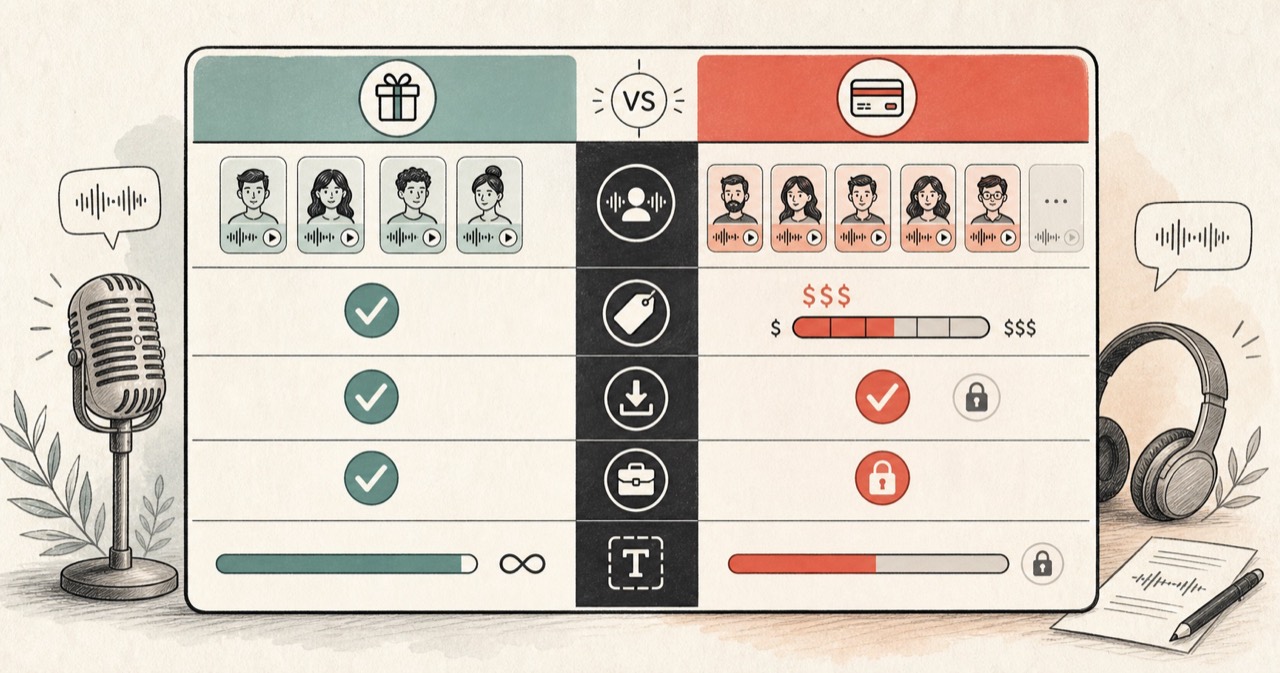
| Feature | FreeTextoSpeech | TTSReader |
|---|---|---|
| Primary workflow | Generate a voice file or use a lightweight live text reader. | Listen to text and documents, or build richer exported narrations. |
| Document import | Separate PDF and format-specific tools. | Officially supports PDF, DOCX, EPUB, text files, and webpages. |
| Resume position | The live reader keeps position only during the current page session. | Advertises remembered text, caret position, and preferences. |
| Voice model | 54 Kokoro voices across 9 languages. | Browser voices plus premium AI voices from multiple providers. |
| Account-free use | Public generator and reader do not require signup. | Official site says basic browser reading needs no login; paid features have separate terms. |
How to decide
One workspace or a few small tools?
TTSReader combines a reader, editor, document importer, and narration studio. That makes sense for books and ongoing study. A focused generator asks fewer questions when all you need is one voiceover clip.
Our split is intentional
Use Text Reader Online to listen. Use Text to MP3 or Text to WAV to make a file. TTSReader keeps more of that work inside one product, which some people will prefer.
Long documents change the answer
Saved position and document import barely matter for a 30-second script. They matter a lot halfway through a book. Pick for the material you use every week, not for the longest feature list.
Read the export terms
Browser playback and downloadable AI narration may follow different plan rules. Confirm the current voice, export, and commercial terms before paid or client work.