YouTube Shorts voiceover

Text to Speech for YouTube Shorts

Generate clean, natural AI voiceovers tailored for 60-second mobile retention. Download 24 kHz WAV audio with full commercial monetization rights.

Go ad free
Go ad free
0 / 5,000

Selected: DeepInfra cloud.

Checking...
Credits
— / —
1.0x

Language

Voice

Loading voices…
WAV · 24 kHz
Go ad free
Go ad free
Go ad free

Short-form retention

Voice guide for YouTube Shorts

Smartphone speakers compress dynamic range. These four Kokoro voices have distinct frequency profiles that cut through mobile background noise without fatiguing listeners.

Adam

Authoritative & direct

History facts, tech breakdowns, and finance hooks where credibility in the first 3 seconds is crucial.

Nova

Energetic narrator

Fast-paced listicles, life hacks, and commentary that needs to sustain high energy throughout.

River

Calm & expressive

Storytelling, mystery breakdowns, and philosophical Shorts that benefit from a natural, reflective pace.

Fenrir

Deep & cinematic

True crime, movie recaps, and dramatic hooks that need heavy low-end presence on smartphone speakers.

Go ad free
Creator workflow

How to produce high-retention Shorts audio

  1. 01

    Write a tight 60-second script

    Shorts have a strict 60-second ceiling. Aim for 120 to 145 words max so the voiceover has breathing room and avoids cutting off abruptly.

  2. 02

    Choose a voice that cuts through mobile audio

    Pick clear, energetic voices like Nova, Adam, or Sky. Avoid flat or overused default voices that cause viewers to swipe away.

  3. 03

    Set pacing to 1.1x speed

    YouTube Shorts viewer retention peaks when delivery is crisp and confident. Bump playback speed slightly to keep momentum.

  4. 04

    Import into your timeline and mix

    Download 24 kHz WAV audio, drop it into Premiere, DaVinci, or CapCut, duck your background music to -18 dB, and render.

Three retention rules for YouTube Shorts audio

YouTube's Shorts algorithm prioritizes view duration and swipe-away rate above all else. How your voiceover sounds in the first three seconds determines whether viewers stay or swipe.

1. Hook before breath

Never start a Short with a generic greeting ("Hey guys, today I'm going to show you..."). Cut straight to the conflict or unusual premise. Start the first syllable on frame 1.

2. Keep the music ducked -18 dB

Trending YouTube audio helps discoverability, but creators often leave the music bed too loud. If words blur into the track on a phone at medium volume, viewers swipe away. Keep the voice prominent.

3. Avoid monotonous cadence

Old robotic TTS engines read every sentence at the exact same pitch and interval. Kokoro neural models vary intonation naturally based on punctuation. Use question marks, commas, and short sentences to keep delivery punchy.
FAQ

Text To Speech For Youtube Shorts FAQs

01

Can you monetize YouTube Shorts that use text-to-speech voiceovers?

Yes. YouTube explicitly allows AI and text-to-speech voiceovers in the YouTube Partner Program provided your content is original. What gets disqualified is automated mass compilation spam or re-uploaded clips, not the voice model itself.
02

How many words can fit in a 60 second YouTube Short?

At a conversational speaking rate of 140 to 150 words per minute, aim for 125 to 140 words. If your video includes sound effects or visual pauses, keep it closer to 110 words.
03

Do I need to check the "Altered or Synthetic Content" box on YouTube for TTS?

YouTube requires disclosure for realistic synthetic media that depicts real people saying or doing things they did not do. Standard narration over gameplay, tutorials, or educational footage does not trigger a penalty, but toggling the disclosure in YouTube Studio is good practice if you want to be completely transparent.
04

Which audio format is best for YouTube Shorts editors?

Always download 24 kHz WAV files. WAV preserves clean transients and full dynamic range, preventing compression artifacts when YouTube re-encodes your video audio for mobile playback.
05

Are the voices free for commercial use on YouTube?

Yes. All audio generated on FreeTextToSpeech includes full commercial rights. You can monetize your Shorts, brand sponsorships, and affiliate videos with zero royalties or mandatory attribution.

Still wondering? Get in touch →

Try it now

Create your Shorts voiceover now

No account, no fees, instant 24 kHz WAV downloads with commercial rights.

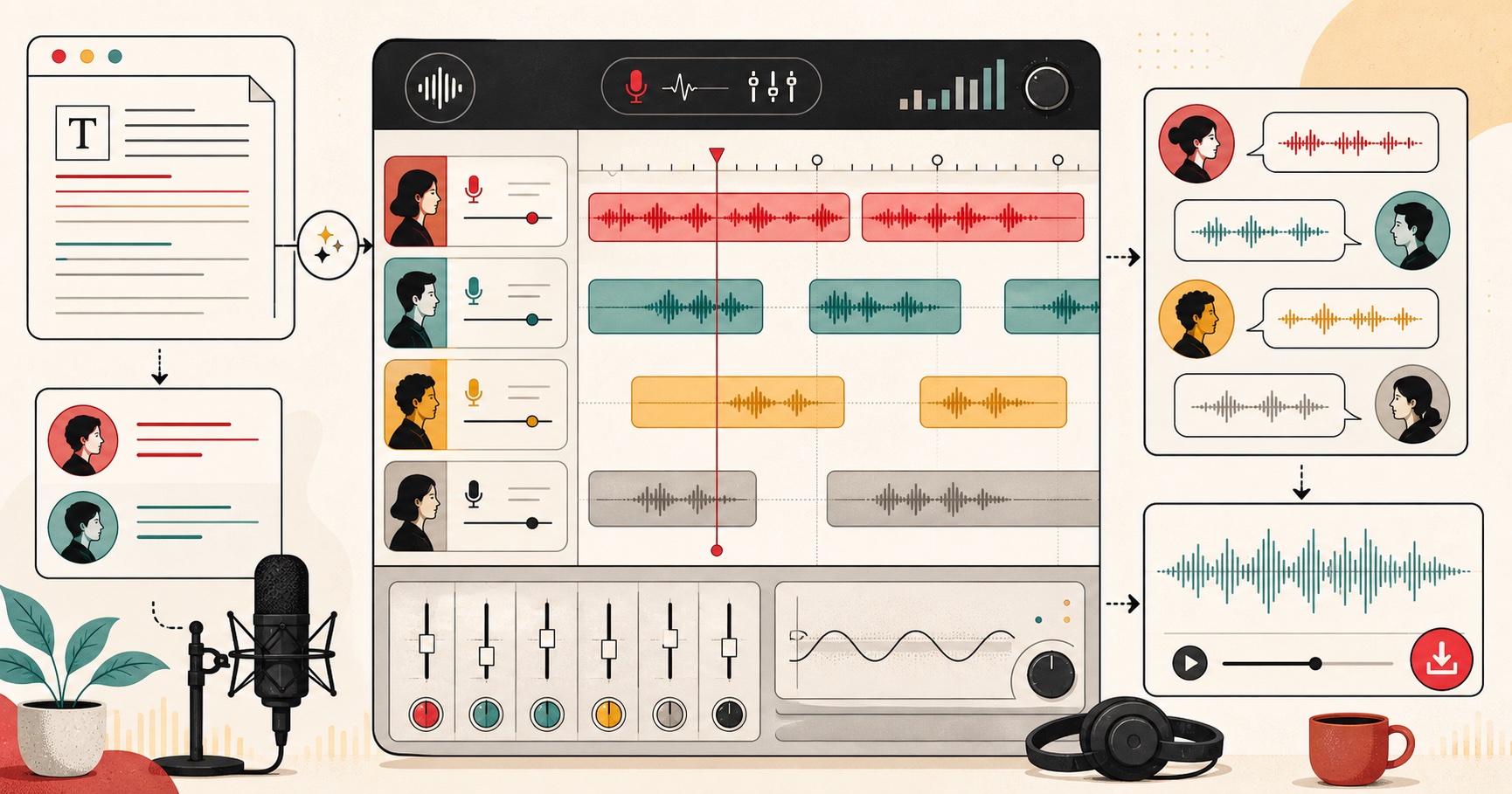
visual guide showing an AI voice studio with scripts, voice lanes, dialogue tracks, and audio export

Visual guide

An AI voice studio workflow for generating narration, dialogue, and spoken vocal audio.