Hindi text to speech turns your written Hindi into a real, spoken voice. You paste your text, pick a voice, and download clean audio in seconds. No signup, no fees.
This guide shows you how to do it free. You will also get tips for natural Hindi voiceovers, help picking the right voice, and the best ways creators use it. You can convert Hindi text to speech here and try it as you read.
The tool reads Hindi in Devanagari and works with 8 other languages too. The audio is yours to keep, even for commercial work like YouTube videos, reels, and ads.
What is Hindi text to speech?
Hindi text to speech is a tool that reads Hindi writing out loud in a natural voice. You give it text, and it gives you back audio. Some people call it a Hindi voice generator or Hindi TTS.
It works with Devanagari, the normal Hindi script. Modern AI voices sound close to a real person, so the audio feels spoken, not robotic. You can use it to add a voiceover, listen to your notes, or help someone who finds reading hard.
How to convert Hindi text to speech free
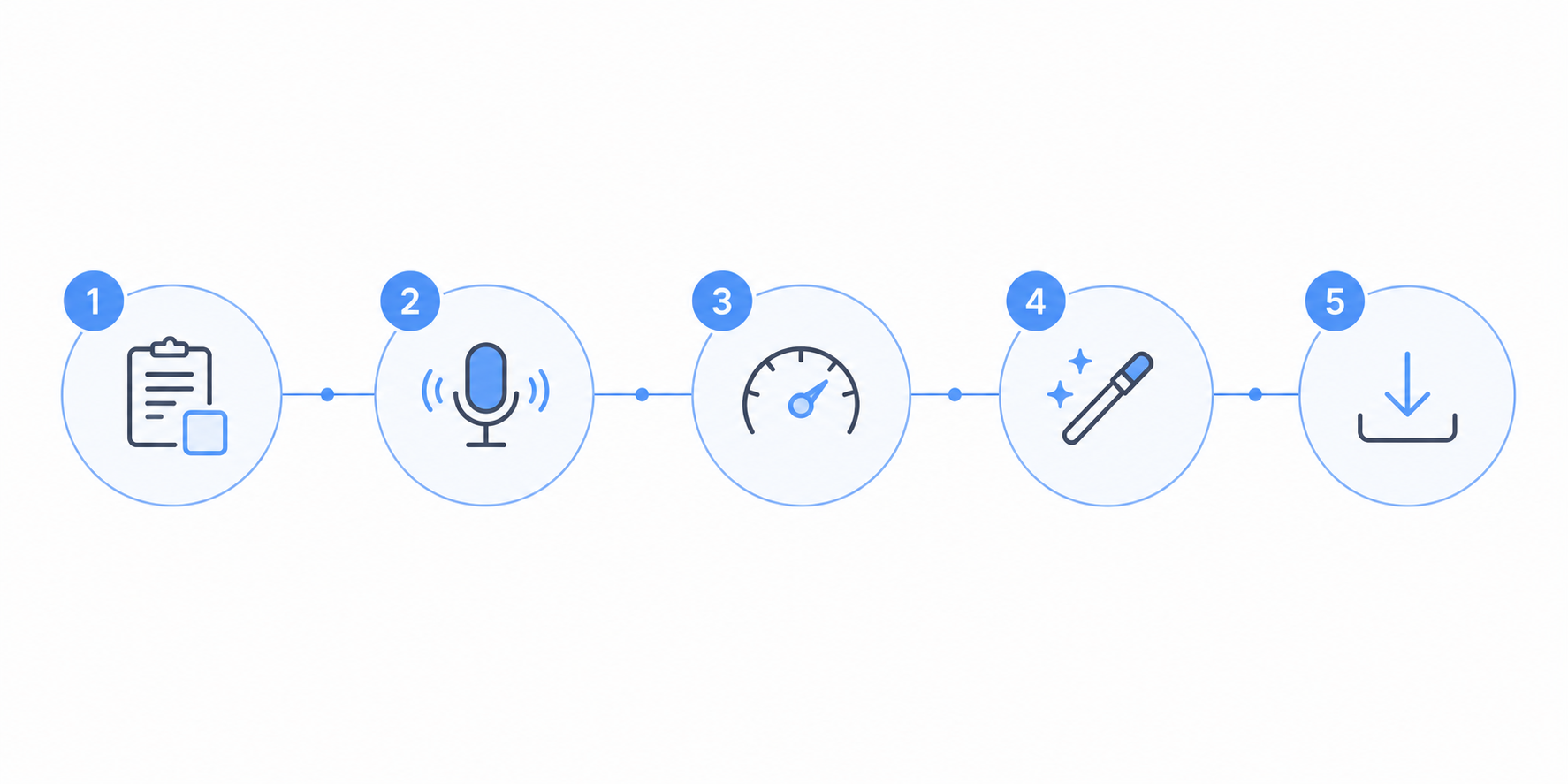
Here is how to turn Hindi text into audio in under a minute. Open the free text to speech tool and follow these steps.
Paste your Hindi text into the box. You can add up to 5,000 characters in Devanagari, and long pieces get handled in chunks.
Pick a Hindi voice from the list. Choose male or female, and hit preview to hear it first.
Set the speed to match your video or your own pace. Slower for clarity, faster for short clips.
Hit Generate and wait a few seconds. Your Hindi voiceover is ready.
Download the WAV file and use it anywhere, including commercial work.
That is the whole process. No account, no payment, and no watermark on the audio.
Tips for natural-sounding Hindi voiceovers
A few small changes make Hindi audio sound much more natural. Writing in Devanagari gives the cleanest result, since the tool reads Hindi script most accurately. A word like "नमस्ते" will sound right. If you only have Romanized Hindi (Hinglish like "namaste"), the voice may read it as English, so convert it to Devanagari first.
Punctuation sets your pauses. A comma is a short breath and a full stop is a longer one. Add them where you would pause in real speech, and the voiceover will not feel rushed.
Short sentences sound better than long ones. Long lines can go flat, so break them up and let the voice rise and fall on its own.
Tricky numbers are safer spelled out. If a number reads wrong, write it in words. For example, "2025" can become "दो हज़ार पच्चीस" so it is spoken the way you want.
A quick preview saves time. Listen to a short sample first, and if a word sounds off, tweak the spelling or add a comma, then generate again.
Best uses for Hindi TTS
Hindi text to speech fits a lot of everyday work. Here are the most common ways people use it.
YouTube and faceless channels run on it. Many Hindi creators narrate videos without recording their own voice. You can add a Hindi voiceover for YouTube videos in minutes.
Reels and Shorts need quick audio. A short script becomes a clean voiceover that you drop straight into your edit.
Learning content sounds clearer with a steady voice. Teachers and course makers turn lessons and notes into Hindi audio that students can replay.
Study and revision get easier when you listen. Paste your notes, generate the audio, and revise while you walk or travel.
Accessibility matters too. People who find reading hard can listen to articles, messages, or books in Hindi instead.
Choosing the right Hindi voice
The right voice depends on your project, so try a few before you settle. The tool gives you four Hindi voices. Alpha is clear and expressive for lessons and narration, and Beta is warm for conversational content. Omega is deep and suits a formal read, while Psi is friendly and works well for tutorials.
Speed matters as much as the voice. Keep it near normal for clear narration, slow it down for learning content, and raise it a little for fast reels. You can preview every option on the Hindi voices page and pick the one that fits.
WAV vs MP3 for your Hindi audio
The tool gives you a WAV file. WAV is lossless, so it keeps the full quality of the voice and works in every video and audio editor.
MP3 is smaller and easier to share, but it drops a little quality. For most editing, start with the WAV and export to MP3 from your editor later if you need a smaller file. To just share a clip on WhatsApp or upload it fast, MP3 is fine.
Final thoughts
Hindi text to speech makes it easy to turn writing into a clear, natural voice. Paste your text, pick a voice, and you have audio ready for videos, study, or accessibility. Write in Devanagari, add punctuation for pauses, and preview once, and your Hindi voiceover will sound just right.