For makers and creators

AI Voice Maker

Draft a script, pick a voice, ship the audio into the tool you already use. 54 voices, commercial use, no signup.

0 / 5,000
1.0x
0.25x 4.0x
No signup 100% free 54 voices Instant WAV
The maker workflow

An AI voice maker built around how creators actually ship

Most AI voice makers stop at 'here is a download.' That is half the job. The other half is moving the audio into CapCut, Premiere, Audition, Reaper, Unity, or whatever you actually finish in — without the file format, the license, or the signup wall getting in your way. FreeTextoSpeech is the AI voice maker online for makers who want to skip the friction and get to the timeline.

The quick answer

Paste up to 5,000 characters, preview a voice from 54 Kokoro options across 9 languages, click Generate, and pull down a 24 kHz WAV. Commercial use is allowed by default, no attribution needed, no signup. Drop the file straight into your editor or game engine — that is the whole AI voice maker free workflow.

In four steps

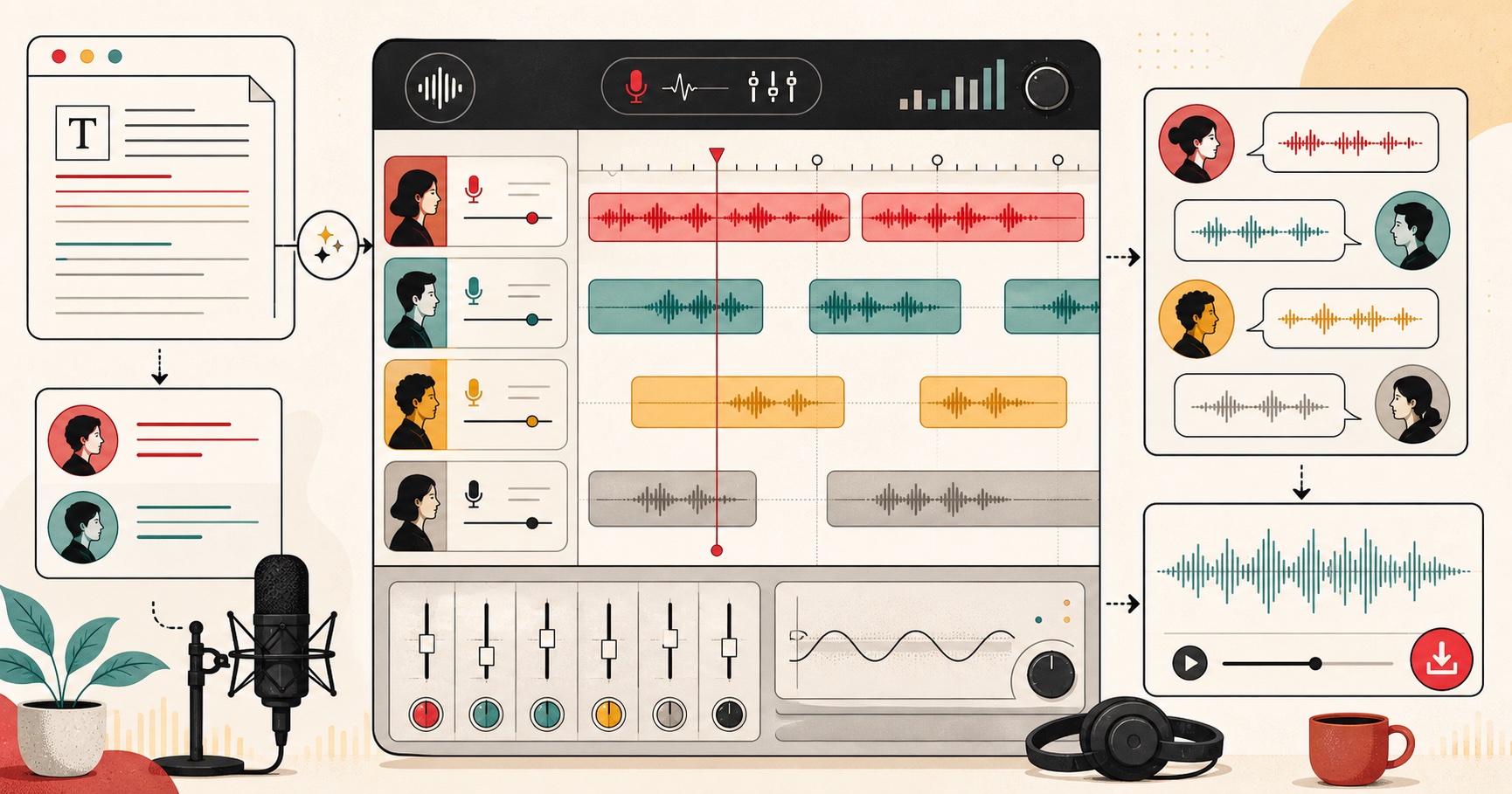
From script to finished audio in your tool

  1. 01

    Draft the script in your usual editor

    Write in Notion, Google Docs, Obsidian, or whatever you draft in. Aim for ~150 words per minute of finished audio. Keep one take per scene under 5,000 characters so it fits a single generation.

  2. 02

    Preview voices before committing

    Paste a representative sentence — not the whole script — and cycle through voices. The voice that sells your hook in one sentence is the one that will hold up across the full take.

  3. 03

    Generate in clips, not in one giant blob

    Run each scene or section as its own generation. Faster to iterate, easier to swap a single line, and you keep mistakes from forcing a full re-render.

  4. 04

    Bring the WAV into your stack

    CapCut, Premiere, DaVinci Resolve, Audition, Audacity, Reaper, Logic, FL Studio, Unity, Unreal, or a browser editor — drop the 24 kHz WAV in, line it up, and ship.

Creator workflows

Who actually uses an AI voice maker

04 scenarios
01 / 04

Indie game devs prototyping NPC dialogue

Stand up placeholder voice lines for a quest, barks, or cutscene before booking a real actor. 54 voices means you can give the merchant, the guard, and the rival three distinct reads in an afternoon. Drop the WAVs straight into Unity or Unreal — commercial use is allowed if the prototype ships.
02 / 04

Course creators and educators

Narrate every lesson without re-recording when you tweak a slide. Generate the voiceover after the script is locked, swap voices per module if you want variety, and re-render the one paragraph that changed instead of the whole module.

03 / 04

Marketers cutting ad reads at speed

Test five hooks against three voices in twenty minutes. Pick the variant that holds attention, ship it to Meta or YouTube ads, kill the rest. The bottleneck stops being the voice booth and starts being the script.

04 / 04

Faceless channels and RSS-to-audio

Turn newsletters, blog posts, or RSS feeds into daily audio. Pipe the article through, generate, publish to your podcast feed or a faceless YouTube channel. No mic, no booth, no recording window blown by a barking dog.

Voice guide

Voices, matched to creator type

Six voices, each one picked for a specific kind of creator. Use these as starting points — preview before you commit, swap if the first take does not sit right with your script.

01 US English

Liam

Neutral explainer

Best for

Explainer YouTubers and tutorial channels. Stays out of the way of the screen recording, lands every step in a build, never oversells. The first voice to try for software demos.

02 US English

Puck

Playful and characterful

Best for

Indie game devs prototyping NPC dialogue. Has enough character to make a merchant sound like a merchant. Pair with a heavier voice for guards or villains and you get a passable scratch cast.

03 US English

Sarah

Warm narrator

Best for

Course creators and online educators. Carries 8–15 minute lessons without listener fatigue. Reads instructions like a patient tutor, not a corporate training video.

04 US English

Adam

Authoritative ad voice

Best for

Marketers cutting ad reads. Sells the hook in the first three seconds, holds attention through the offer, lands the CTA. The voice you reach for when the metric is click-through.

05 UK English

Emma

Clear and measured

Best for

Language tutors and ESL creators. Crisp consonants, even pacing, neutral register — exactly what learners need to model. Slow it down to 0.9× for beginner content.

06 US English

River

Smooth documentary

Best for

Podcasters and long-form storytellers. The voice that earns long average-listen times on 30+ minute episodes. Drops naturally into intros, outros, and reflective interludes.

Want to hear them? Browse all 54 voices →

Best practices

Tips for stitching a long project together

An AI voice maker is only as good as the workflow you wrap around it. These are the moves that separate clean, professional audio from a stack of clips that betray they were stitched.

  • 01

    Stitch generations on scene boundaries, not mid-sentence

    When you split a long script into multiple generations, cut at the end of a paragraph or scene. Mid-sentence splits give you tiny pacing seams that listeners hear as glitches. End-of-sentence splits sound like a deliberate breath.

  • 02

    Normalize loudness across clips before you stitch

    Different clips from the same voice can land at slightly different perceived loudness. Run a loudness normalization pass in Audacity or Audition (-16 LUFS for podcast, -14 LUFS for YouTube) before you stitch — otherwise the cuts thump.

  • 03

    Lock voice choice early to keep an episode consistent

    Decide on the voice in the first scene, then never change it inside one episode or video unless you are deliberately switching characters. Subscribers register the voice as part of the brand. Mid-video swaps read as a mistake.

  • 04

    Export WAV from us, convert in your editor

    We give you 24 kHz WAV because it is the format that loses nothing on import. Convert to MP3 only on final export, and only if the destination requires it. Twice-converted lossy audio is the single most common reason an AI voiceover sounds cheap.

  • 05

    Batch by voice, not by scene

    If your script switches between two voices, generate all of voice A first, then all of voice B. Fewer voice switches in the UI, fewer chances to grab the wrong dropdown, and you can paste consistently rather than re-formatting between voices.

  • 06

    Keep a pronunciation cheatsheet for proper nouns

    Acronyms read better with periods between letters (N.A.S.A.). Proper nouns read better spelled phonetically (write "Kokoro" as "co-co-roh", "GIF" as "jiff" if that is your hill). Save the corrections in a doc — you will reuse them across every script.

Honest comparison

FreeTextoSpeech vs a paid AI voice maker

Murf, PlayHT, and LOVO are the obvious paid benchmarks. Honest read: we win on price, access, and license. They win if you specifically need voice cloning or fine-grained SSML.

Price

FreeTextoSpeech

Free. No paid tier, no trial.

Paid AI voice maker

Subscription, typically $20–$50/month for usable monthly minutes.

Signup before first generation

FreeTextoSpeech

None.

Paid AI voice maker

Email + account required, sometimes credit card on file even for the trial.

Voice library on the free side

FreeTextoSpeech

54 Kokoro voices, 9 languages, full catalogue.

Paid AI voice maker

Premium voices paywalled; free tier sees a small subset.

Output format

FreeTextoSpeech

24 kHz WAV download, lossless.

Paid AI voice maker

MP3 on free or lower paid tiers; WAV often gated to higher plans.

Commercial use

FreeTextoSpeech

Allowed by default, no attribution.

Paid AI voice maker

Commercial use typically requires a paid plan with explicit license terms.

Voice cloning

FreeTextoSpeech

Not offered.

Paid AI voice maker

Available — record yourself or upload samples, get a custom voice.

SSML and emotion controls

FreeTextoSpeech

Punctuation-driven pacing, no SSML.

Paid AI voice maker

Granular SSML, emotion tags, pitch and emphasis controls.

Comparison is qualitative — paid-tier limits and feature mixes shift constantly, so check the current plan pages on Murf, PlayHT, or LOVO before committing.

FAQ

Frequently Asked Questions

01 What is an AI voice maker?
An AI voice maker is a tool that turns written text into spoken audio using a neural text-to-speech model. You paste a script, pick from a catalogue of synthetic voices, and the tool generates a finished audio file. FreeTextoSpeech is an AI voice maker built on the open-source Kokoro model with 54 voices across 9 languages.
02 Is this AI voice maker actually free?
Yes. No paid tier, no trial timer, no credit card. The free anon tier has a monthly character cap to keep server load sane, and each individual generation is capped at 5,000 characters. Output is a 24 kHz WAV with a commercial-use license and no watermark.
03 Can I use the audio commercially in games, ads, and monetized content?
Yes. The license covers monetized YouTube, paid courses, ads, podcasts on Spotify or Apple, indie games on Steam or itch.io, and apps. No attribution is required. We do not allow voice cloning of real people or impersonation — that is a separate problem this tool does not solve.
04 How do I make AI voice for a long script that does not fit in 5,000 characters?
Split the script at scene or paragraph boundaries, generate each chunk as its own clip, and stitch them together in your editor. There is no daily limit on how many requests you can run, only the per-request length and the monthly character ceiling on the free tier.
05 Which voice should I pick?
For US English narration, Sarah and Adam are the most reliable defaults. Liam is the explainer pick. River and Bella are warmer. Daniel and Emma cover UK English. The fastest way to choose is to paste your hook sentence and preview three voices side by side — that one sentence tells you everything.
06 Can the AI voice maker do emotion, whispers, or shouts?
Not via SSML emotion tags — those are a paid-tool feature. You can shape delivery with punctuation (commas for short beats, em dashes for real pauses, ellipses for trailing off), with sentence length, and by picking a voice whose default register matches the line. For dialogue with hard emotional swings, switch voices instead of trying to force one to act.
07 What output format does the AI voice maker give me?
A 24 kHz lossless WAV file, downloaded straight to your computer. Most editors prefer WAV as input. If you need MP3 or M4A for a specific upload spec, convert in your editor on export — do not convert before importing or you bake in a lossy step you cannot undo.
08 Is there a desktop app or API?
Not currently. The web app at freetexttospeech.net is the canonical surface — it works in Chrome, Firefox, Safari, and Edge with no install. API access for developers is on the roadmap but not committed.

Still wondering? Get in touch →

Try it now

Ready to make your first AI voice?

Open the maker, paste a script, hit Generate. Under a minute, free.