Students on locked-down Chromebooks
School-issued Chromebooks block .exe and .dmg installs. A browser-based maker runs without IT approval, paste class notes, generate, listen on the way home.
You've hit the free limit
Free tier: 5,000 characters/month
You've used all 5,000 free characters for this month. Sign in with Google to get 500,000 characters per month, free, no credit card.
You've used your 500,000 characters for this 30-day window. Your allowance resets automatically, thanks for using FreeTextoSpeech.
Paste text, pick a voice, download a WAV, entirely in your browser. No install, no signup, no admin rights needed.
Skip the installer. FreeTextoSpeech runs the whole pipeline online, paste up to 5,000 characters, pick from 54 natural voices, download a 24 kHz WAV. Works on Chromebooks, iPads, locked-down corporate laptops, and any device with a modern browser. Free, commercial use included, no signup.
Related use cases
Open freetexttospeech.net in any modern browser, paste up to 5,000 characters, pick a voice, click Generate, and download the WAV. No app to install, no account to create, no admin rights required, works on Chromebooks, iPads, and locked corporate laptops.
Visit freetexttospeech.net in any modern browser, Chrome, Safari, Firefox, Edge. Nothing to download, no installer, no admin password, no app store.
Drop in up to 5,000 characters per request. Pulls cleanly from Google Docs, Notion, Word online, or a plain text file. No login prompt before you can use it.
Choose from 54 Kokoro voices across 9 languages. Hit Preview to compare a few before committing, every voice is unlocked on the free tier.
Click Generate, get a 24 kHz WAV in 2–5 seconds, save it locally. Commercial use is included, no watermark, no attribution required.
School-issued Chromebooks block .exe and .dmg installs. A browser-based maker runs without IT approval, paste class notes, generate, listen on the way home.
Work laptop locked down by IT? You cannot install Balabolka or NaturalReader desktop, but you can open a tab. Paste a memo, draft, or training script and get audio in seconds.
Working from an iPad, Android tablet, or phone? Most desktop TTS apps do not run there at all. The browser tool works on any screen, generate a voiceover from the couch.
You need text to voice twice a month. Installing software, granting permissions, and updating drivers is overkill. Open the page, paste, download, close the tab, done.
Online tools have their own quirks, connection, copy-paste, mobile support. Get these right and the browser experience matches or beats a desktop app for most workflows.
Pick browser-based whenever you (a) cannot install software, (b) work across multiple devices, (c) only need TTS occasionally, or (d) want guaranteed access to the latest model. Pick desktop only when you genuinely need offline generation or batch-process thousands of files in one session.
Any browser updated in the last two years works: Chrome 90+, Safari 14+, Firefox 88+, Edge 90+. Old corporate IE11 installs will not. If audio playback fails, it is almost always a browser-blocked autoplay policy, click the page once before previewing.
Generation needs a stable connection for the 2–5 second round trip. On a slow line, keep requests under 2,000 characters so a dropped packet retries fast. The download itself is small, a 5-minute WAV is roughly 14 MB, fine on a hotel Wi-Fi.
On iOS Safari and Chrome Android, long-press the audio player to expose the download option. Save directly to Files (iOS) or Downloads (Android), then open in your editor of choice, LumaFusion, CapCut mobile, VLLO. The full 24 kHz WAV transfers cleanly.
Google Docs, Notion, and Word Online all paste rich-text by default. The textbox strips formatting, but smart quotes ("curly") and em-dashes (—) sometimes survive and confuse the tokenizer. If a word is mispronounced, paste through a plain-text step (TextEdit on Mac, Notepad on Windows) first.
Online tools require internet. Before a flight or remote shoot, generate every WAV you need in advance and save the files locally. The audio plays back offline forever, only the generation step needs a connection.
Desktop apps like NaturalReader desktop and Balabolka have been around for years. Here is the honest comparison, where browser-based wins, and the one place desktop still has the edge.
Install requirement
FreeTextoSpeech
None. Open a tab, paste, generate.
Desktop TTS apps
Download installer, run setup, accept driver prompts. Often blocked by corporate IT.
Operating system support
FreeTextoSpeech
Any OS with a modern browser, Windows, macOS, Linux, ChromeOS, iOS, Android.
Desktop TTS apps
NaturalReader desktop is Windows/Mac. Balabolka is Windows-only.
Chromebook / iPad / locked corporate laptop
FreeTextoSpeech
Works. No admin rights or app-store approval needed.
Desktop TTS apps
Cannot install on Chromebooks or stock iPads. Blocked on most managed corporate laptops.
Updates & new voices
FreeTextoSpeech
Pushed instantly server-side. You always run the latest model.
Desktop TTS apps
Manual updates. Stuck on whatever version you installed unless you redownload.
Voice library
FreeTextoSpeech
54 Kokoro voices, 9 languages, all unlocked, no paywall.
Desktop TTS apps
Built-in OS voices (SAPI5/Microsoft) are robotic. Better voices usually paywalled.
Output quality
FreeTextoSpeech
24 kHz neural WAV, sounds like modern AI voice tools.
Desktop TTS apps
Free desktop voices typically max out at robotic SAPI5 quality unless you pay.
Works offline
FreeTextoSpeech
No, needs an internet connection to generate. Saved WAVs play offline forever.
Desktop TTS apps
Yes, fully offline once installed.
Comparison reflects typical free-tier behavior of installed desktop TTS software (NaturalReader desktop, Balabolka, built-in OS voices). Specific desktop products may differ on individual rows.
Still wondering? Get in touch →
Full voice catalog with previews and language filters.
Convert text to a downloadable audio file in seconds.
No signup, no trial timer, full commercial use.
Why these voices sound human, not robotic.
Studio-grade narration for videos and Shorts.
Course narration that plays cleanly on any LMS.
Make a voice from text online in under a minute.
Visual guide
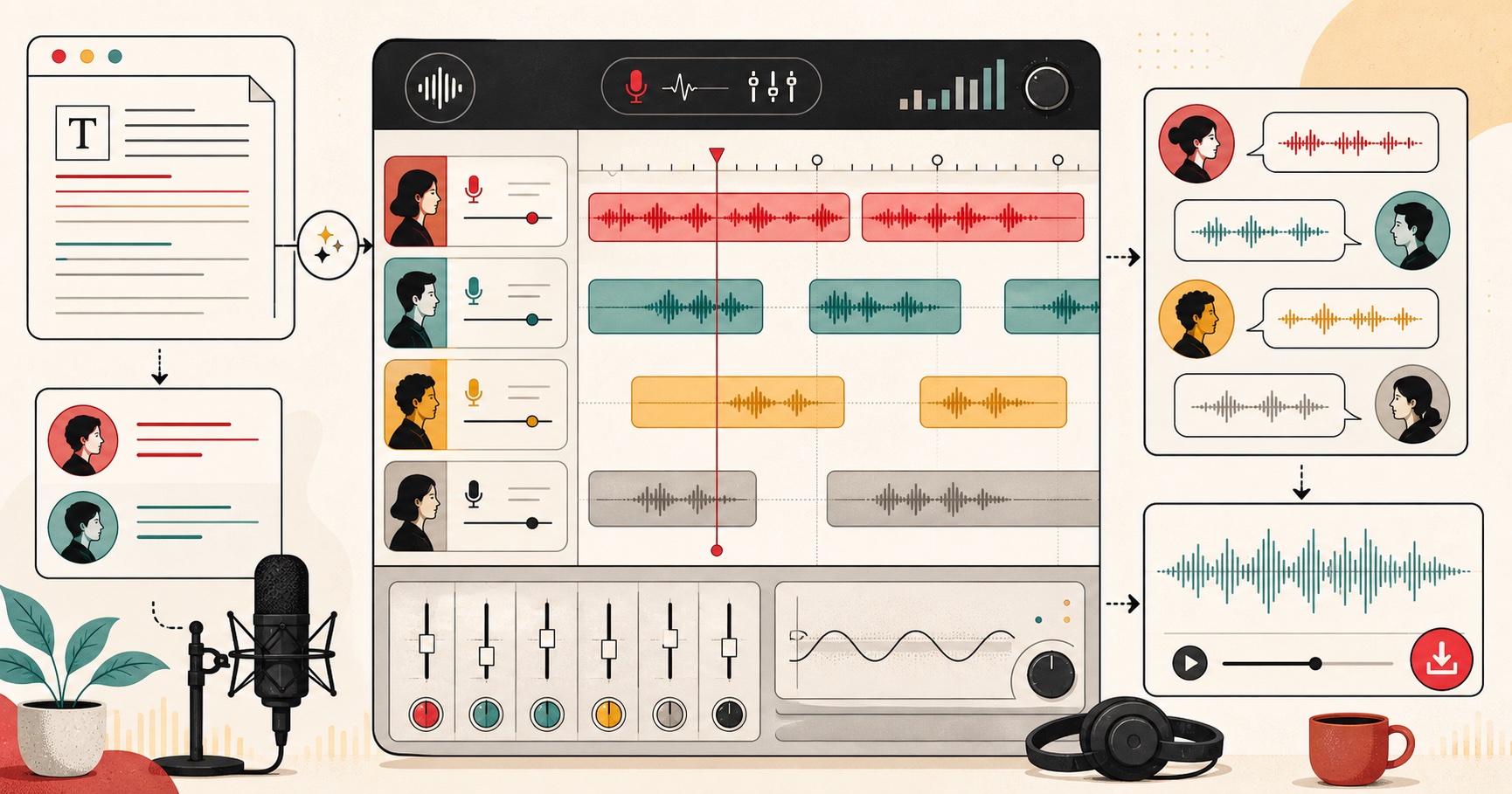
An AI voice studio workflow for generating narration, dialogue, and spoken vocal audio.