Creators on a zero budget
YouTubers, TikTokers, and indie podcasters who need a voiceover today and cannot justify a $22/month subscription. Commercial use is included.
You've hit the free limit
Free tier: 5,000 characters/month
You've used all 5,000 free characters for this month. Sign in with Google to get 500,000 characters per month, free, no credit card.
You've used your 500,000 characters for this 30-day window. Your allowance resets automatically, thanks for using FreeTextoSpeech.
Free online text to speech: paste your text, pick a voice, download a studio-quality WAV. 54 natural voices, commercial use included, no signup.
Most 'free TTS' tools are signup walls with a download button paywalled behind them. FreeTextoSpeech is the actual generator: paste up to 5,000 characters, pick from 54 Kokoro neural voices in 9 languages, and download a 24 kHz WAV you can use commercially. No card, no email, no watermark.
Related use cases
Paste your text into the tool above, pick a voice (Sarah, Adam, and Bella are the safest first picks for English narration), click Generate, and download the WAV. The audio is licensed for commercial use, so monetized videos, podcasts, and client work are all fine.
Land on freetexttospeech.net. The generator loads in the page, no popup, no email gate, no "verify your account" detour.
That is roughly 800 spoken words, or about 5 minutes of audio at a natural reading pace. Longer text? Split it and run multiple requests.
54 Kokoro neural voices across 9 languages. Hit Preview to A/B two voices in 10 seconds. Generation usually finishes in 2–5 seconds.
24 kHz lossless WAV, full commercial-use license, no watermark, no attribution. The file is yours, drop it in any project.
YouTubers, TikTokers, and indie podcasters who need a voiceover today and cannot justify a $22/month subscription. Commercial use is included.
Convert lecture notes, PDFs, and articles into audio for the commute. No paywall, no daily quota gate that resets at midnight.
Devs prototyping voice features, PMs recording demo narration, ops teams generating IVR clips. Free TTS that works without a credit card on file.
Teachers narrating slides, course creators voicing lesson modules, training leads recording onboarding clips. 9 languages cover most classrooms.
The 54-voice catalog is great until you realize you have to choose one. These six are the ones first-time visitors land on most often, and the ones we would pick if we had to ship today. Four US English, two UK, all production-grade for free text to speech with natural voice.
Warm narrator
Best for
General-purpose narration, explainers, lifestyle content. The safe default when you do not know what you want, pleasant across 5–10 minute reads.
Authoritative male
Best for
Documentary, business, finance, and history content. Carries weight without sliding into "movie trailer" parody territory.
Friendly conversational
Best for
Tutorials, beauty, cooking, lifestyle vlogs. Sounds like the friend who explains things instead of lecturing about them.
Neutral explainer
Best for
Software walkthroughs, how-tos, technical demos. Stays out of the way so the screen recording does the work.
British conversational
Best for
Audiobook excerpts, podcast intros, anything that benefits from a non-American voice without going full BBC formal.
British formal
Best for
Prestige documentary, history deep-dives, true-crime narration. Adds gravitas you cannot get from a US voice.
Want to hear them? Browse all 54 voices →
The gap between a flat free TTS clip and a clip that holds attention is mostly script and pacing decisions, not voice quality. These six fixes do more for the final result than swapping engines.
The same script reads completely differently across two voices. Paste your first 100 characters, hit Preview on three candidate voices, then commit. You will save yourself the "re-generate the whole 5,000 characters in a different voice" cycle.
Commas add a short beat, periods a longer one, ellipses buy a real pause. If a sentence lands flat, break it into two. The Kokoro model respects punctuation closely, it is the cheapest way to control delivery without re-recording.
Acronyms like NASA read better as "N.A.S.A." or "Nasa". Proper nouns like "Kokoro" read better as "co-co-roh". Generate a 1-second test clip with just the tricky word, fix the spelling, then paste the corrected version into the full script.
A 12-minute video is roughly 13,000–14,000 characters of script, three free TTS generations. Split at scene boundaries (where you would cut in the edit) so the seams between clips land on hard cuts and never mid-sentence.
Browser tab playback re-samples and adds artifacts. Always click Download and use the file itself. Your editor will hate the difference if you screen-record audio off the tab instead of importing the WAV.
Keep the workflow lossless until the very last step. Edit the WAV, mix the WAV, then let your editor or DAW encode to MP3 or AAC on export. Re-encoding lossy formats mid-pipeline stacks compression artifacts you cannot undo.
NaturalReader is the other name people land on when they search for free TTS. Honest read: we are stronger on output and license, they are stronger on the polished reader-app surface.
Download audio on the free tier
FreeTextoSpeech
Direct WAV download on every generation.
NaturalReader free tier
Free tier focuses on in-browser playback; downloads typically gated to paid plans.
Commercial use rights
FreeTextoSpeech
Included on the free tier, monetized video, ads, client work, all clear.
NaturalReader free tier
Commercial license generally bundled with the paid Premium or Plus tiers.
Signup required
FreeTextoSpeech
None. Open the page and start generating.
NaturalReader free tier
Email signup required for the free tier.
Voice catalog on free tier
FreeTextoSpeech
54 Kokoro neural voices across 9 languages, all available.
NaturalReader free tier
A handful of free voices; the natural-sounding catalog is largely paywalled.
Output format
FreeTextoSpeech
24 kHz WAV, lossless input for editors and DAWs.
NaturalReader free tier
MP3 playback; lossless export usually a paid feature.
Document and PDF import UI
FreeTextoSpeech
Paste-only. PDF support lives on a sister tool, /read-pdf-aloud.
NaturalReader free tier
Polished document upload built into the reader app.
Monthly character limit (anon)
FreeTextoSpeech
5,000 characters per month on the anonymous free tier.
NaturalReader free tier
Free tier offers a larger monthly listening allowance, mostly for in-app playback.
Comparison is qualitative. NaturalReader's specific monthly numbers and free-voice list shift over time, check their pricing page before benchmarking.
Still wondering? Get in touch →
Why the Kokoro voices sound human and not robotic.
The same engine, framed as a voice generator instead of TTS.
Same voices, MP3 output for podcasting and quick sharing.
Drop a PDF and listen to it with any of the 54 voices.
Generate a natural AI voice in under a minute, WAV download, commercial use included.
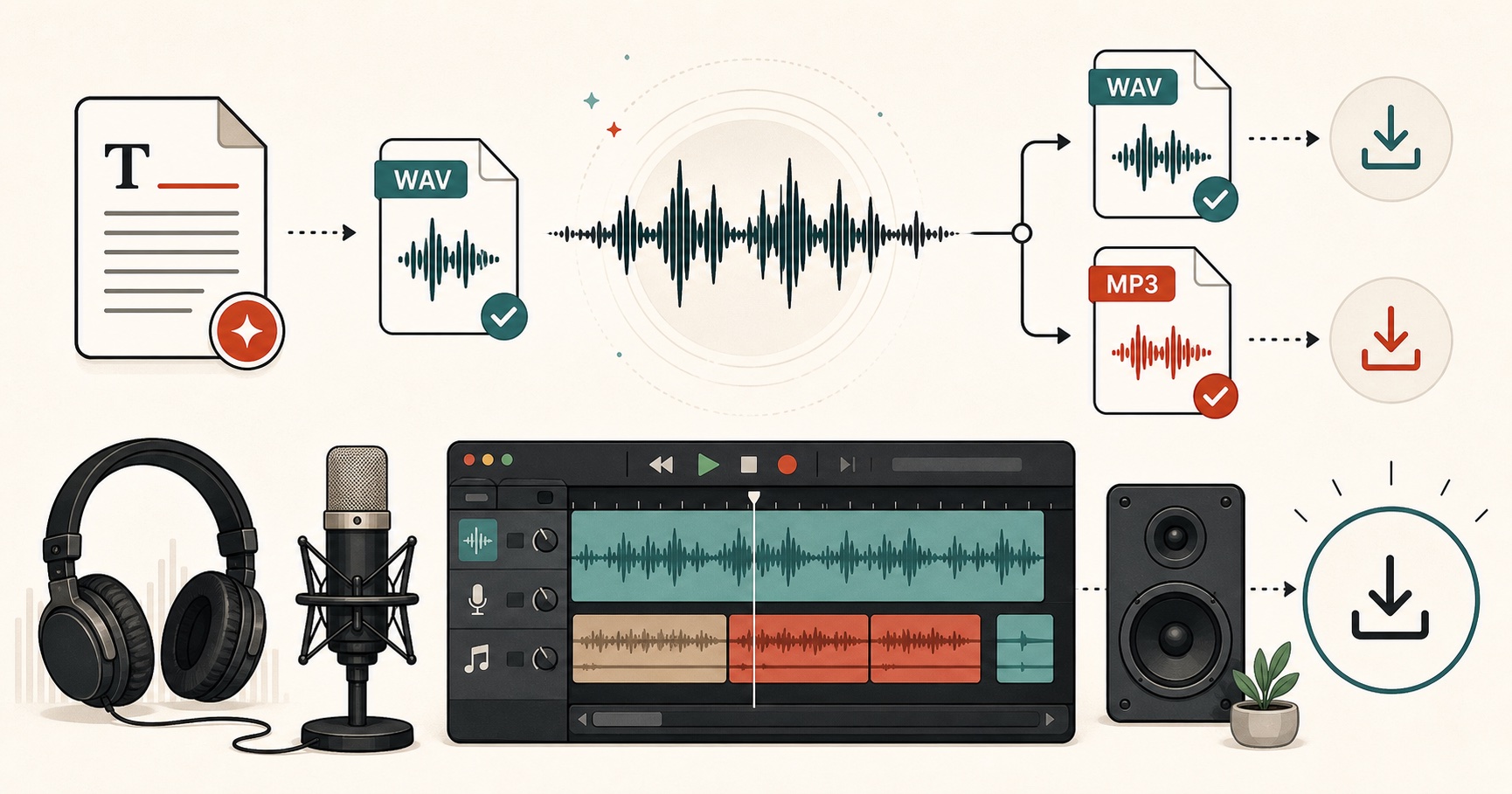
Visual guide
An audio export guide for WAV, MP3, and production-ready speech files.