You can make an AI podcast with two voices without a microphone, a studio, or a second host. You write the script, pick two voices, and the AI reads the conversation for you. The whole thing is free.
Google's NotebookLM made this style popular, but it builds the podcast for you, so you do not control the script or the voices. This guide shows you how to make your own, where you choose every word and both hosts, with full rights to publish it. You can try it free here as you read.
No signup and no fees. By the end you will know how to turn a topic into a two-host episode that sounds like a real conversation.
What an AI podcast with two voices is
An AI podcast with two voices is a conversation between two AI hosts instead of two people. One voice asks the questions, the other explains, and together they walk through a topic the way real hosts would.
You have heard the format on shows where a host and a guest trade lines. With AI, you write that back and forth yourself, give each speaker a different voice, and the tool reads each part. The result is an episode that feels like a chat, even though no one sat in front of a mic.
It works for explainer shows, news roundups, study guides, and story scenes. Anywhere two people talking is clearer than one person reading, this format fits.
NotebookLM vs writing your own
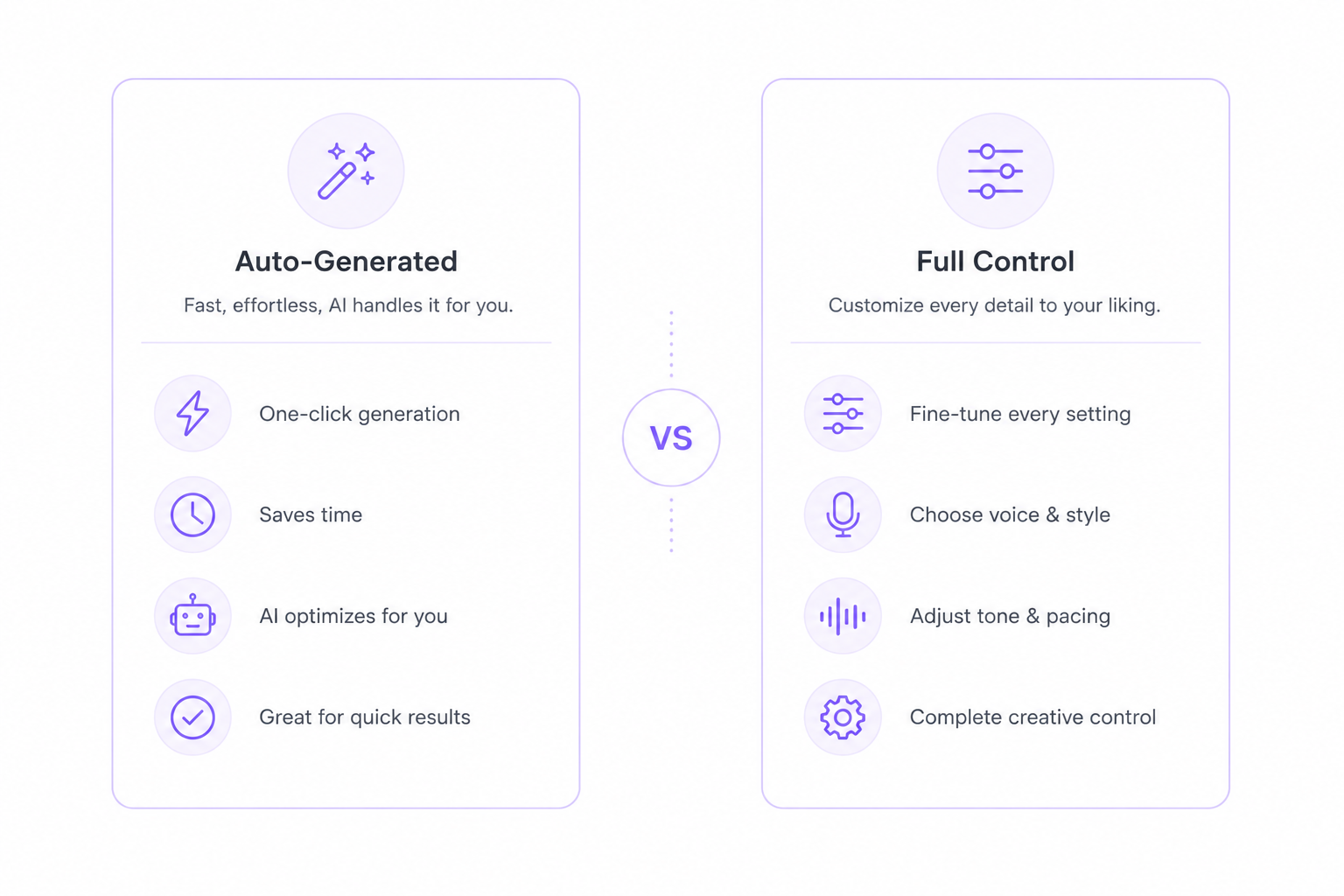
Both make a two-voice show, but they are built for different needs. NotebookLM is the fastest way to start. You give it your sources and it writes and voices a podcast for you in one click. The catch is control. You cannot set the exact script, you cannot pick the voices, and the two hosts are always the same. For a quick summary of your notes, that is fine.
Writing your own is the better path when the details matter. You decide every line, choose both voices from a large list, and keep the audio for any use, including monetized shows. It takes a little longer, since you write the script and put the parts together yourself, but you own the result from start to finish.
So which should you pick? Use NotebookLM for a fast, rough overview of a document. Write your own when you want a real episode with your script, your voices, and the right to publish it.
How to make your own AI podcast
The workflow is simple once you see it. Here is the short version.
Write the script as a back and forth between two hosts. Keep each turn to a sentence or two so it sounds like a real chat.
Pick two voices that sound different, one for each host, so listeners can tell them apart.
Generate each host on its own by pasting host one's lines, picking a voice, and downloading the audio. Then do the same for host two.
Put the parts together in a free audio editor like Audacity, in the order they speak, with a short gap between turns.
That is the whole loop. For a full walkthrough with voice settings and timing, use the AI dialogue generator, which is built for exactly this.
Best voice pairs for a podcast
The pair only works if the two voices sound clearly different. These three are easy to tell apart and read well together.
Sarah and Adam make a classic host and expert pair. Sarah asks the questions in a warm, natural tone, and Adam answers with a deep, steady voice. This is the closest match to the popular explainer style.
Bella and Liam suit a casual, friendly show. Both read warm and relaxed, so the chat feels like two friends talking rather than a formal interview.
Daniel and Emma give you a British pair. Daniel is confident and clear, Emma is elegant and calm, and the shared accent keeps the show feeling consistent.
Want more options? You can hear every voice on the voices page and build your own pair.
Tips for a natural conversation
A few small things make the back and forth sound real instead of stiff.
Short turns keep the pace quick. One or two sentences per line sounds like real hosts, not a lecture.
A small gap between turns makes it feel like a conversation. About a quarter second of silence between speakers is enough, rather than gluing two clips together.
Punctuation sets the timing. A comma is a short pause and a full stop is a longer one, so write the beats into the script.
Written reactions stand in for sounds. Since the voice cannot laugh on its own, type "hah hah" or "mmhm" where you want one, and the voice reads it.
For more on timing, interruptions, and pacing, the AI dialogue generator page has the full set of tips.
Conclusion
Making an AI podcast with two voices is easier than it looks. Write a short conversation, give each host a different voice, generate both, and join them with a small gap between turns. Start with a five minute episode on a topic you know, pick a clear pair like Sarah and Adam, and you will have a real show with two voices, without a mic or a second host.