You do not need a recording studio or a voice actor to make an audiobook anymore. With AI voices, you paste your text, pick a narrator, and get clear audio you can publish. The whole thing is free, and the voice is yours to sell.
This guide walks you through making an audiobook with AI voices from start to finish. You will see how to prep your book, choose a voice that holds up over hours of listening, generate it chapter by chapter, and where you can actually publish it. You can try a free AI voice here as you read.
No signup, no fees, and the audio is cleared for paid books. Let us turn your book into a finished audiobook.
What you need to make an AI audiobook
You need three things, and all of them are free. The first is your text, whether it is a book, an ebook, or a set of chapters in a document. The second is an AI voice to narrate it, which is where a text to speech tool comes in. The third is a simple audio editor, like the free app Audacity, to join your chapters into one file.
That is all. No microphone, no booth, and no voice actor to hire. If your book is already written, you are most of the way there.
How to make an audiobook step by step
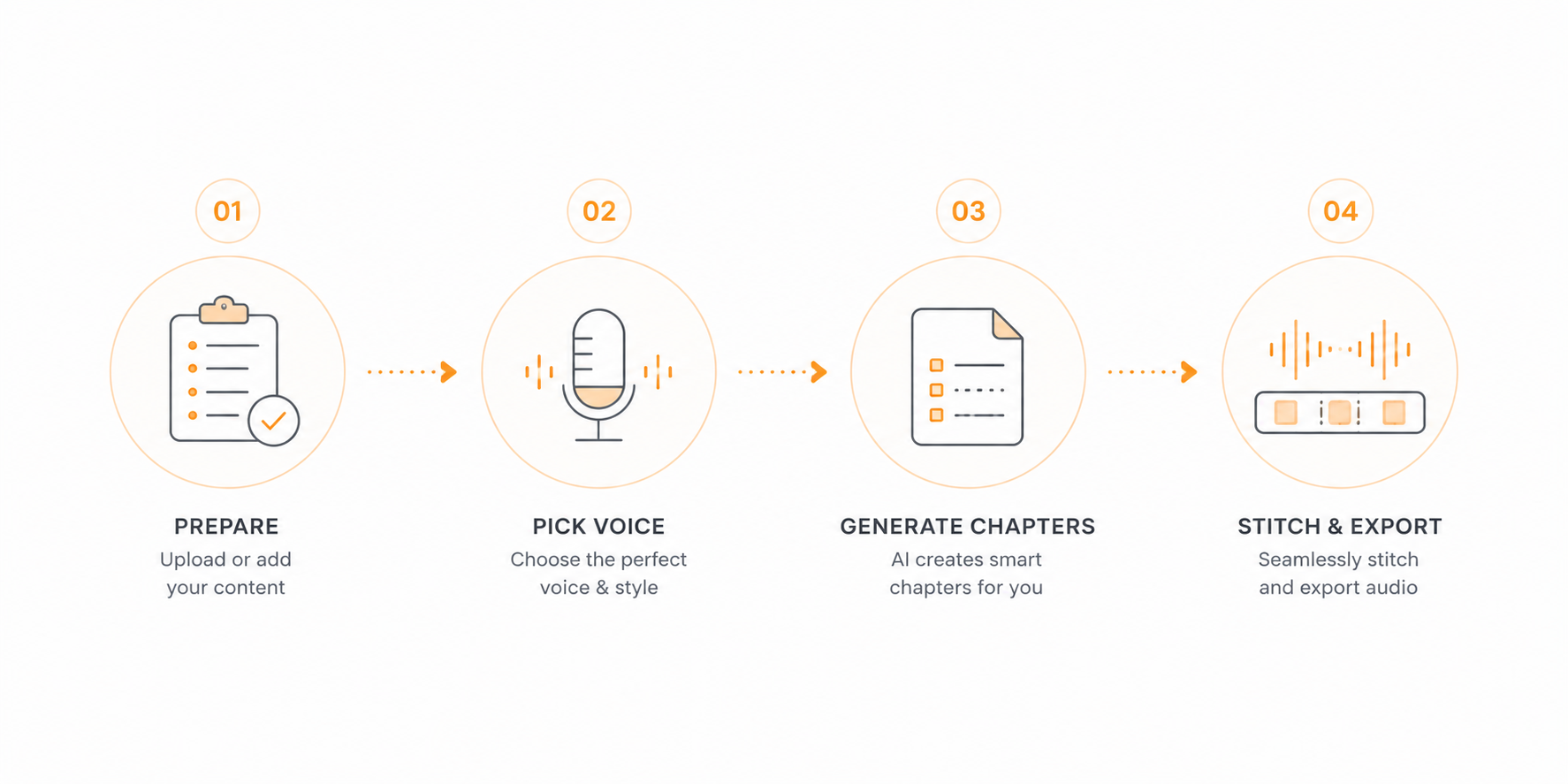
Here is the full process, from a written book to a finished audio file.
Prepare your text
Clean up the text first. Remove page numbers, headers, and anything you do not want read out loud, and split the book into chapters. If your book is an ebook or a Word file, you can skip the copy and paste and use the EPUB to speech tool or the DOCX to speech tool to load it straight in.
Pick a narrator voice
Choose one voice and use it for the whole book, so the narration stays consistent. Pick a calm, natural voice that is easy to listen to for a long time, and preview it on a full paragraph rather than a single line.
Generate it chapter by chapter
Each request handles up to 5,000 characters, so work one chapter or section at a time. Paste the text, generate, and download the audio for that chapter before moving to the next. Name each file by chapter so they stay in order.
Stitch the chapters together
Open your audio editor and drop the chapter files in order. Leave a short pause between chapters, add a title line at the start if you want, and export the whole thing as one file. Now you have a complete audiobook.
Best AI voices for narration
A good narrator voice is calm, clear, and easy to listen to for hours. These read well for full audiobooks.
Sarah is natural and expressive, which makes her a strong pick for fiction and storytelling. She reads with feeling without sounding dramatic.
River is smooth and steady, made for long reads. This is a safe choice for nonfiction and long chapters where you want an even, restful tone.
Fable is a warm British voice built for storytelling and bedtime tales, great if your book suits a softer, gentle feel.
Michael is calm and measured, which fits nonfiction and study guides where clarity matters most.
Preview these and the rest on the voices page, and read a full paragraph in each before you commit to one for the whole book.
Where you can publish an AI audiobook
Good news. As of 2026, the major platforms accept AI narrated audiobooks. The main rule is to be honest about it.
Audible and Amazon take AI audiobooks through KDP Virtual Voice, Amazon's own AI narration program, which labels the book as Virtual Voice narration for you. Check the current eligibility in your KDP account before you publish, since ACX itself is still set up for human narrators.
Google Play Books supports auto narrated and AI audiobooks directly, with no extra steps.
Spotify, through Findaway Voices, accepts AI narration too. You just tick the AI voice box when you upload.
Your own store or YouTube is the simplest route of all. Sell the file on Gumroad or your own site, or upload it as a video on YouTube, with full control and no approval needed.
Since the audio from the tool is cleared for commercial use, the licensing on your side is already sorted. Always check each platform's latest rules before you publish, since these policies are still changing.
Conclusion
Making an audiobook with AI voices is simple once you break it into steps. Prepare your text, pick one calm narrator voice, generate it chapter by chapter, and join the parts into one file. Start with a single chapter today, hear how it sounds, and you will have a full audiobook ready to share or sell.