The voice you pick has a big effect on a YouTube video. The best AI voices for YouTube sound natural, stay clear from start to finish, and match the mood of your channel. The good news is you do not need a paid tool to get them.
This guide names the voices that work best for each kind of video, from faceless documentaries to casual vlogs, and they are all free to use. Every voice here is one you can generate and download in seconds. You can try these voices free as you read.
No recording, no signup, and the audio is cleared for monetized videos. Let us find the right voice for your channel.
What makes a good YouTube voice
Before the names, here is what to listen for. A good YouTube voice does four things well.
It stays clear for the whole video. Long stretches of narration need a voice that does not get tiring, so clarity matters more than a fancy tone.
It sounds natural rather than robotic. Viewers click away from flat, machine-like reads, so you want a voice with a human rhythm.
It fits your niche, so a deep, calm voice suits a documentary while a bright, upbeat one fits a fast vlog. The voice should match what people expect from your topic.
It stays the same across videos. Once viewers know your channel by its voice, keep using the same one so your content feels familiar.
The best AI voices for YouTube by content type
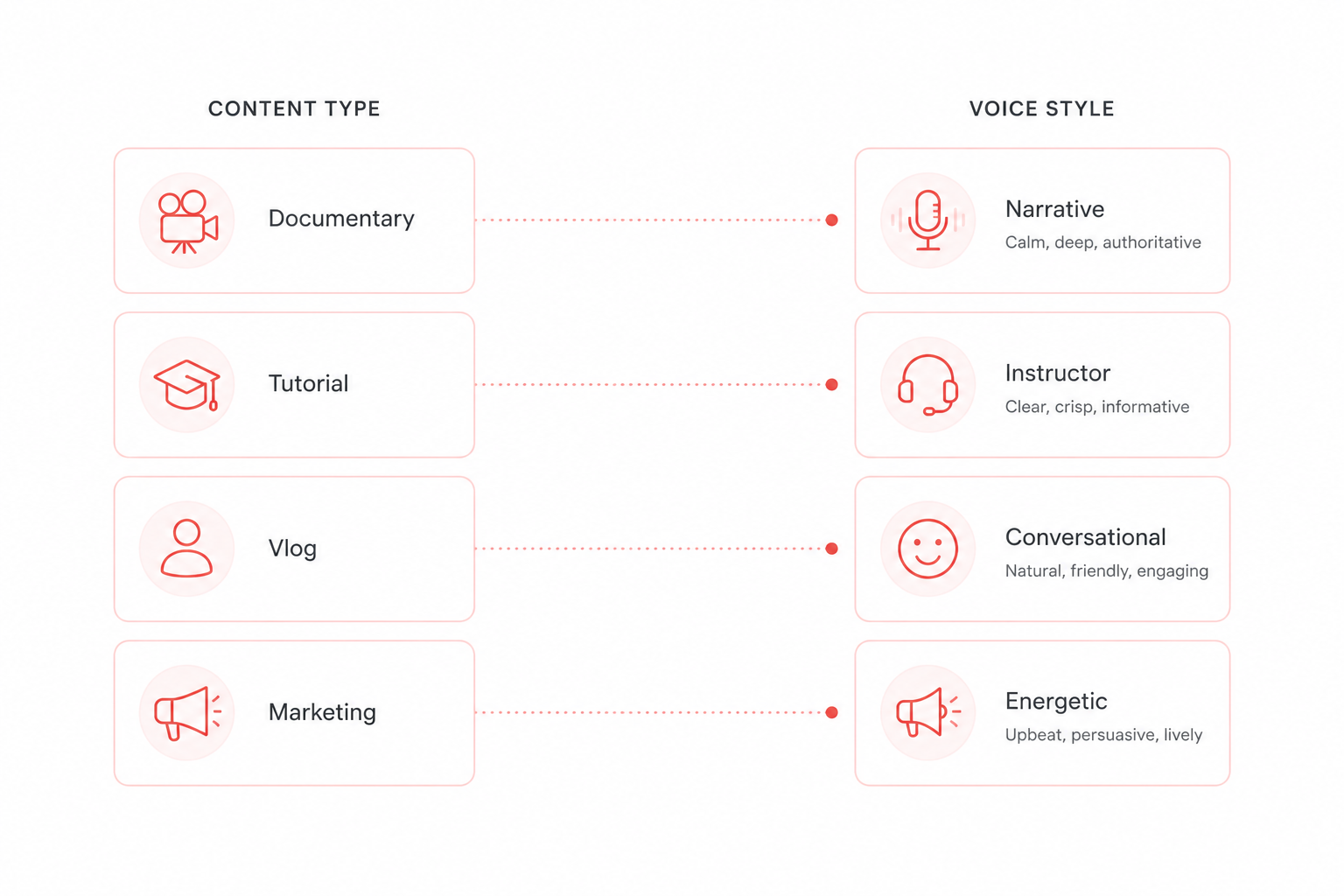
Match the voice to the kind of video you make. Here are the picks that work best, all free on the tool.
Documentary and faceless channels
For deep, serious narration, Adam is the standout. It is rich and authoritative, which suits documentaries, explainers, and finance or history channels. Onyx is a smooth baritone for a more premium feel, and Michael is calm and steady for long faceless videos that run ten minutes or more. You can hear all of these on the American English voices page.
Tutorials and explainers
Here you want clear and friendly. Eric is approachable and easy to follow, which fits tutorials and online courses. Nicole is clean and professional for software walkthroughs, and Kore is precise for technical content where every word counts.
Vlogs and casual videos
Casual content needs a warm, human tone. Bella is friendly and conversational, like talking to a friend, and Liam is warm and engaging for vlogs and podcasts that tell a story. Both keep things relaxed rather than formal.
Storytelling and audiobooks
For narration that pulls people in, Sarah is natural and expressive, great for stories and long reads. River is smooth and flowing for calm, steady narration over a long video.
High energy and marketing
Fast, upbeat videos need a brighter voice. Sky is energetic and lively for marketing clips and product launches, and Nova is fresh and modern for tech reviews and demos.
British accent picks
If your channel suits a British voice, Daniel is confident and polished for news style and professional content, Emma is elegant for formal narration, and George is rich and commanding for documentaries. Preview them on the British English voices page.
How to pick the right voice for your channel
With so many options, a short test saves time. Here is a simple way to choose. Start with your niche and pick two or three voices from the list above that fit it. Paste the same short script into each one and listen back to back. The right voice will feel natural for your topic and easy to listen to for a few minutes straight.
Then think about your audience. A younger, quick channel suits a brighter voice, while a calm, detailed channel suits a deeper one. Once you find a voice that fits, stick with it across your videos so viewers come to know your channel by its sound.
How to use these voices free
Once you have picked a voice, getting the audio takes a minute.
Open the tool and paste your script into the free text to speech tool.
Choose your voice from the list, like Adam or Bella, and set the speed.
Generate and download the WAV file.
Drop it into your editor and line it up with your footage.
The audio is yours to keep and use in monetized videos, so you can use the same voice across your whole channel. For more, see the guide to text to speech for YouTube.
Conclusion
The best AI voices for YouTube are the ones that suit your content and stay consistent. For most channels, start with Adam for serious narration, Bella for casual videos, or Sky for high energy clips. Paste a short script, preview two or three, and pick the one that sounds right. Once you find it, use it on every video so your channel sounds familiar.