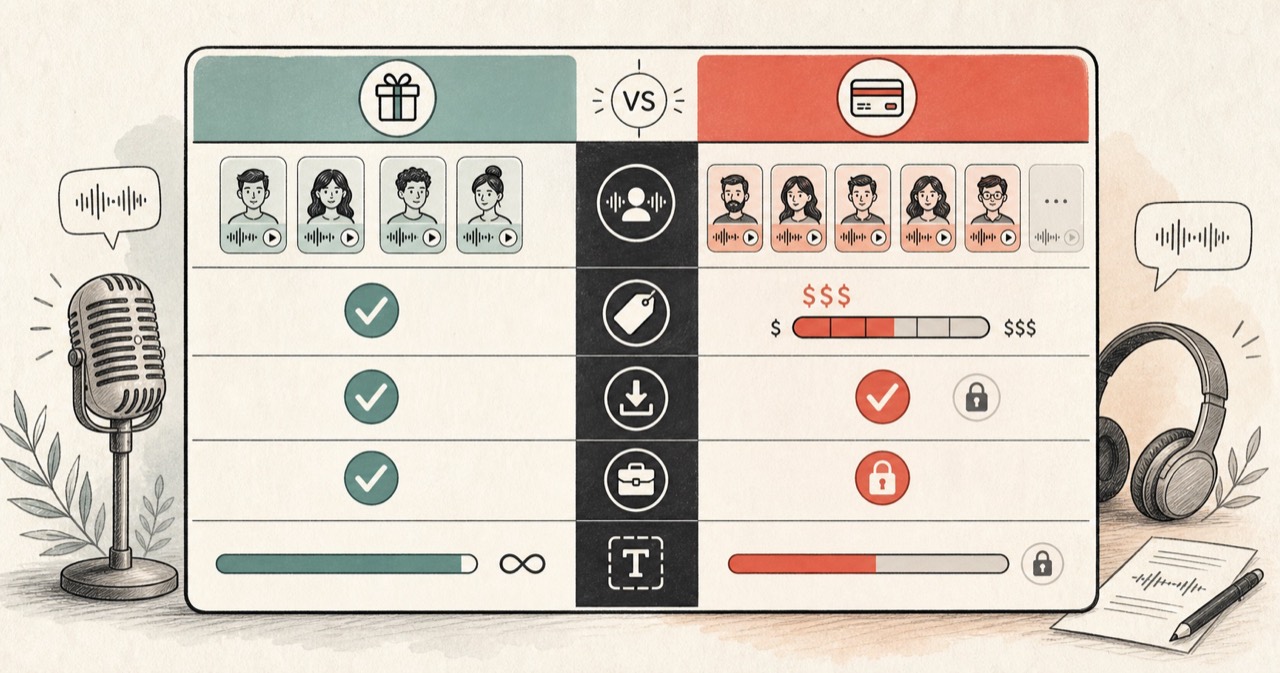
Short answer: most of the time you can tell an AI voice by how it sounds and which app it came from, like the clipped TikTok voice, a CapCut default, or an ElevenLabs read. You probably will not get that exact proprietary voice, but you can get very close with one of the 54 free voices in FreeTextoSpeech and use the result commercially. Here is how I work it out and find a match.
This is one of the questions I see most often from people who use text to speech. Someone hears a voice in a clip that blew up, and they want it for their own videos. The honest answer is a little boring: most viral voices are just the default in whatever app the creator used. That is why they are hard to name, and it is also why you can copy the feel of them for free. You are almost never chasing some rare, hidden voice. You are hearing the built-in option that a few million other people are using too. That is good news. Common things are easy to reproduce.
Listen for the tells
- The classic TikTok voice is flat, upbeat, and a bit clipped. It is the default inside the TikTok app, and once you have heard it a few times you cannot unhear it. It barely pauses for breath and gives every sentence the same even push.
- CapCut voices turn up everywhere in short-form edits because CapCut is what a lot of creators cut their videos in. They are clean and neutral with almost no emotion, which is exactly why they disappear into the background of so many clips.
- ElevenLabs reads sound more expressive and more natural. You hear them in higher-budget YouTube videos and narration channels. If a voice sighs, shifts pace, or lands the stress on the right word, it is usually one of the paid engines.
- Accent and pace narrow things down fast. US or UK English? Male or female? Calm or hyped? Deep or bright? Answer those four and you have already cut most of the options.
Once your ear is trained, the gap stops being subtle. A robotic read where every syllable gets the same weight almost always came from a free in-app engine. A read with real rise and fall, little breaths, and changing speed usually came from a paid tool. Honestly, that one split answers the question more often than any voice-matching website I have tried.
A quick way to narrow it down
- Look at the platform. A TikTok almost always uses the in-app voice or CapCut. A polished YouTube video leans toward ElevenLabs or another paid tool. The platform trims your list before you even listen closely.
- Describe the voice in four words. Accent, gender, energy, depth. Something like "US, male, calm, deep." Writing it down makes you commit instead of staying vague in your head.
- Read the comments. On a popular video someone has usually already asked, and someone else has usually already answered. A quick scan of the top replies can save you the whole search.
- Ask the creator. A lot of them will just tell you, especially smaller channels who remember how annoying it was to find the voice in the first place.
Browse the full set on the voices page to find your closest match.
Why so many videos share the same voice
Editing apps ship with a default text to speech voice, and most creators just use whatever is already there. That is why a small handful of voices dominate TikTok and YouTube Shorts. It also means that if you want to stand out, picking a different, more natural voice is one of the easiest wins you can grab. When everyone reaches for the same three defaults, a voice that sounds unlike the rest makes your content recognisable on its own.
There is a second reason, and I think it is the bigger one. Defaults are frictionless. A creator opens the app, types a caption, taps the built-in voice, and posts. Nobody is browsing a voice library at 2am when a video is already late. So the same few voices repeat thousands of times, not because they are the best, but because they are the fastest. Spend the extra two minutes to choose a voice on purpose and you already sound different from most of your feed.
How to match a voice for free
You usually cannot pull a proprietary voice out of the app it lives in, but you can get close with a free tool. FreeTextoSpeech gives you 54 neural voices across 9 languages, all running on the open Kokoro model. To match a style, this is what I do:
- Note the accent, gender, and energy of the voice you heard.
- Open the voice library and preview voices in that same lane. For a deep US male, try Michael, Adam, or Onyx. For a warm US female, try Heart or Sarah. For a British read, try Emma or George.
- Generate a test line and compare it against the clip. Adjust the speed to match the pace, because pace is a big part of why two voices sound alike.
- Once it matches, download the WAV and reuse it across your videos.
If you are specifically after a deep male sound, our roundup of deep male AI voices you can use free skips most of the search for you. The nine languages cover US English, UK English, Spanish, French, Hindi, Italian, Japanese, Brazilian Portuguese, and Mandarin Chinese, so if the clip you heard was not in English, there is a decent chance you can match the language as well.
Matching the delivery, not just the voice
Two clips can use the exact same voice and still sound different because of pacing and punctuation. This is the part people miss. If your match sounds close but slightly off, change the script instead of the voice: shorten sentences for a punchy feel, add commas for a calmer read, and set the speed to match. A lot of the time what people are actually recognising is the delivery, not the raw voice.
You have real control here, and none of it needs special tags. FreeTextoSpeech takes plain text, so there is no SSML to learn or paste in. You do not need it. Everything you want sits in three simple levers:
- Punctuation - a period is a full stop, a comma is a short breath, and splitting a long line into two shorter ones gives the voice room to reset.
- Spelling - if a name or brand gets read wrong, respell it the way it sounds. Writing "kai-oh" instead of "Kaio" fixes a lot of pronunciation misses on the spot.
- The speed slider - it runs from 0.25x to 4.0x. Most viral short-form voices sit a touch faster than normal conversation, so nudging the speed up a little often closes the last bit of the gap.
A worked example
Say you heard a punchy US male voice in a TikTok explaining some life hack. Quick, confident, a little deep. Here is how I would rebuild it:
- Describe it. US, male, energetic, medium-deep. That points straight at the US male voices.
- Preview two or three. Try Adam for a clear, confident read and Onyx for a deeper tone. Type the same sentence the clip used so you are comparing like for like.
- Match the pace. The original felt fast, so set the speed to around 1.2x and listen again. Small changes matter more than you would think.
- Fix the script. Break one long sentence into two short ones so the read stays punchy instead of running on.
- Export. Download the WAV at 24 kHz and drop it into your editor. If your platform really wants MP3, leave the format menu on MP3, which is the default.
The whole thing takes a few minutes, and you end up with a voice whose output you own, cleared for commercial use with no attribution.
Common mistakes to avoid
- Chasing the exact proprietary voice. If a voice only lives inside one app, you usually cannot get it out. Matching the style is faster and gets you most of the way there without the dead end.
- Ignoring pace. People pick the right voice, leave the speed at default, and decide it does not match. Nine times out of ten it was the pace, not the voice.
- Overloading one request. Anonymous use allows up to 5,000 characters per request, which is roughly 1,000 words. Break long scripts into chunks so nothing gets cut off.
- Assuming you need MP3 straight away. The download is an MP3 by default, which every platform accepts. Pick WAV in the format menu only if you plan to edit.
Mini FAQ
Can I find the exact name of any AI voice? Sometimes, through the comments or by asking the creator. But plenty of the time the voice is a private, app-only option with no public name at all. Matching the style is the reliable path.
Is it legal to use a matched voice commercially? With FreeTextoSpeech, yes. The output is free to use commercially with no attribution, and basic use needs no signup. You are generating your own audio, not lifting someone else's clip.
How much can I generate for free? Anonymous use gives you 5,000 characters per request and 25,000 cloud characters every 30 days. Sign in and that monthly limit jumps to 500,000 characters. The in-browser engine allows 50,000 characters per request and keeps working offline after a one-time model download.
Do I need any special formatting or tags? No. Plain text is all the tool accepts. You shape the delivery with punctuation, spelling, and the speed slider, not with markup.
Try it
Open FreeTextoSpeech, preview a few voices, and find your match. Once you have one, you have got a voice you can use on every video, free and cleared for commercial use, without leaning on a single app's default. Next time someone asks "which AI voice is this?" under one of your clips, you will have a better answer than a screenshot of an app menu.